
Riding a Llama in Minecraft can be a fun and unique way to traverse the game world. You can ride llamas in Minecraft. It is straightforward. It would help if you first found a llama in the game. You can approach it and right-click on it to mount the animal. Llamas cannot be tamed, so they will not follow commands or become permanent pets.
Once you find the Llama in the game, the next step is to tame it. This can be done by repeatedly trying to mount the Llama until it no longer bucks you off. It may take some time to gain the Llama’s trust, but once you do, it will display hearts around its head to indicate that it is now loyal to you.
While riding a llama, you can use the standard movement controls to steer the animal and explore the surrounding area. The Llama moves slower than horses or other mounts, so it may take longer to travel long distances. The Llama has a limited inventory space, so you should expect to carry only a few items while riding one.
What Do You Need to Ride a Llama in Minecraft?
To ride a llama in Minecraft, you need a saddle; right-click on the Llama while holding a saddle. Once the saddle is equipped, you can ride the Llama by right-clicking on it while standing next to it.
Despite these limitations, llamas can still be helpful to your Minecraft adventures. They have a more extensive inventory than most other mobs, making them an excellent choice for carrying items.
How to Mount a Llama in Minecraft?
To mount a llama in Minecraft, you need to follow these steps:
- Find a wild llama or spawn one using a spawn egg.
- Approach the Llama and stand close to it.
- Right-click on the Llama to attempt to mount it. If the Llama is not tamed, it will kick you off and take some damage. So right-click on it until hearts appear around the Llama. It indicates that it has been tamed and will no longer kick you off.
- Right-click on the tamed Llama to mount it with or without a saddle. You can now ride the Llama and control its movements.
How to Put a Saddle on a Llama in Minecraft?
To put a saddle on a llama in Minecraft, you need to find a llama in the mountains in Minecraft. They usually spawn in a group. Tame it and repeatedly try to mount it. Do right-click on Llama to open its inventory.
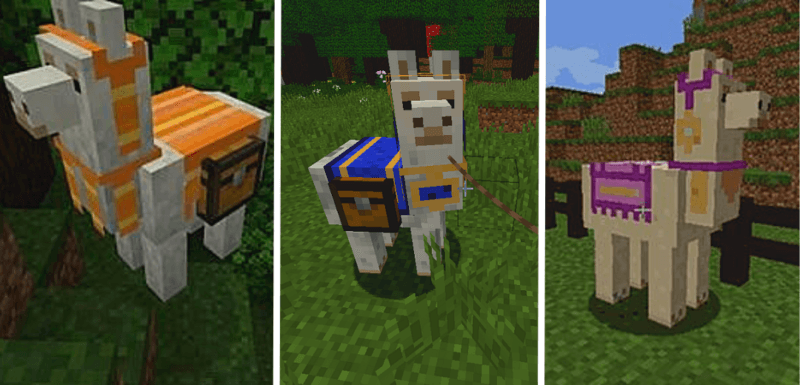
Place the saddle in the saddle slot in Llama’s inventory, then close the Llama’s inventory. Now Right-click on the Llama to ride it. While riding a llama, you cannot control its direction, as llamas have their own AI path. However, llamas have a more extensive inventory than most other mobs, making them useful for carrying items.
How to Feed a Llama in Minecraft?
First, you need to find Llamas that are usually found in the Windswept Forest, Savanna biomes, and Windswept Hills. Then you need foods selected in your hot bar like wheat and hay bale. Feeding llamas in Minecraft is a simple process, and it is necessary to keep them healthy and grow fast by feeding them food.
A llama will eat food only when its health bar is down. Llamas will eat various food, such as hay bales, wheat, or apples, approach the Llama, and right-click on it while holding the food item. The Llama will then start to eat the food. If the Llama is still hungry, you can feed it again but repeat the process if necessary. Feed llamas in moderation to avoid making them sick.
Feeding llamas in Minecraft is essential to keep them happy and healthy. Following the above simple steps, you can feed your Llama and enjoy its company as you explore the vast world of Minecraft.
How to Control a Llama in Minecraft?
To control a llama in Minecraft, you can use the following basic controls once you have mounted the Llama. Llamas in Minecraft can be controlled by leading them with a lead or taming them.
To lead a llama, you need to have a lead in your hand and right-click on the Llama to attach the lead to it. When the lead is attached, you can pull the lama in the direction you want it to go. To release the lead, right-click on the Llama again.
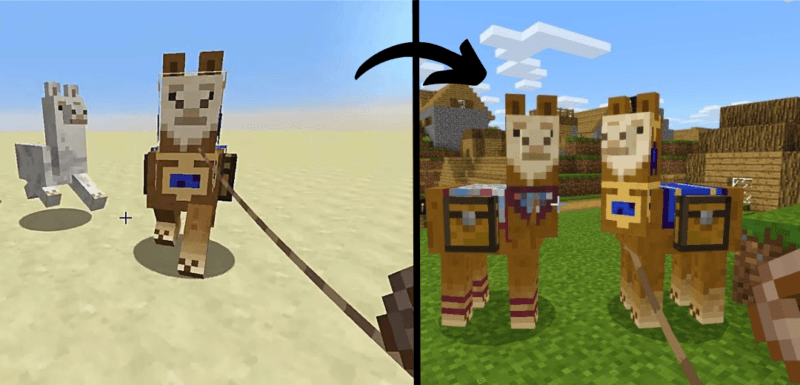
To tame a llama, you need to feed it either hay bales, wheat, or apples. Approach the Llama with the food in your hand and right-click on the Llama to feed it. Once the Llama is tamed, it will follow you and can be controlled by attaching a lead.
How to Ride a Llama on Minecraft PC?
To ride a llama on Minecraft PC, find a tamed llama and right-click on it to mount. Use the standard movement controls (WASD) to control the Llama’s movement with the usual movement keys and press the shift key to dismount. You cannot control the direction of a llama’s spit attack, which it may use when provoked.
What Do You Use to Ride a Llama in Minecraft?
To ride a llama in Minecraft, you need to tame it first by repeatedly trying to mount it until hearts appear. Once the Llama is tamed, you can ride it by right-clicking on it. You can also attach a lead to the Llama and lead it around.
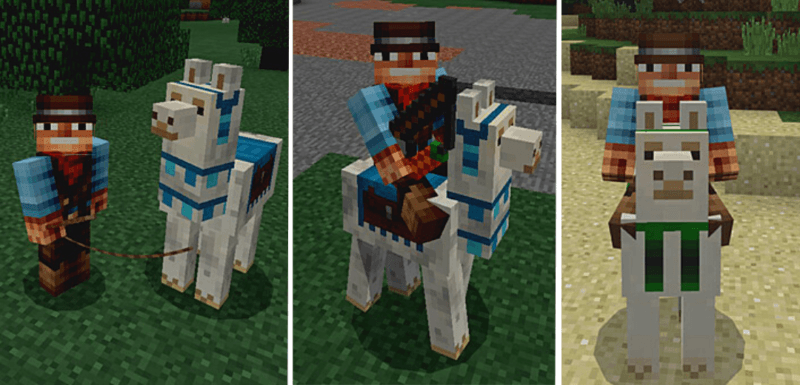
Riding a Llama in Minecraft can be a fun and valuable experience. Llamas are excellent pack animals and can carry items for you. To ride a llama, you need to feed it, tame it, put a saddle on it, mount it, and control it using a lead or a stick. With these steps, you can ride a llama in Minecraft on PC and explore the world with your furry companion.
Final Words

As a former QA Lead for a major RPG studio, Freja possesses an unparalleled understanding of game mechanics and systems. She is the architect of our in-depth Game Guides, specializing in creating comprehensive walkthroughs and optimized character builds. Her guides are designed to help players master their favorite games and uncover every hidden secret.