
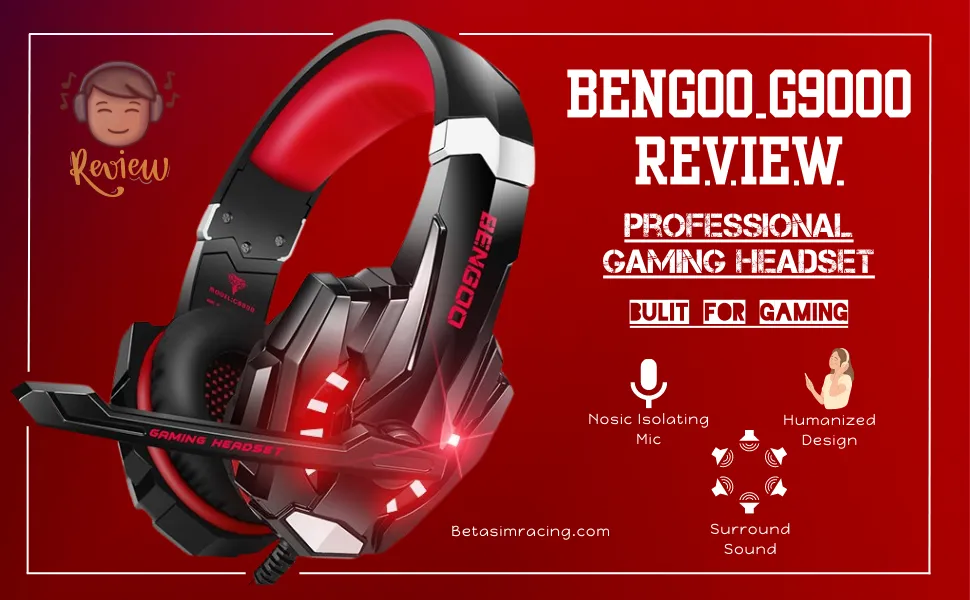
The Bengoo G9000 is a gaming headset that has maintained a presence in the budget-friendly segment of the market for a considerable time. This informational review provides a detailed analysis of its specifications, performance, and overall user experience. The focus is an objective presentation of its capabilities and limitations to inform potential users.
Bengoo G9000 at a Glance: Key Specifications
For a quick overview, the following table details the core specifications of the Bengoo G9000 headset. This data provides an at-a-glance look at its technical profile.
| Feature | Specification |
| Audio Driver | 40mm Neodymium Magnetic Drivers |
| Driver Impedance | 32Ω ± 15% |
| Frequency Range | 15Hz – 20KHz |
| Headset Sensitivity | 105 ± 3dB at 1KHz |
| Microphone Type | Omnidirectional, Rotating (120°) |
| Microphone Sensitivity | -38 ± 3dB |
| Primary Connection | 3.5mm Audio Jack |
| USB Connection | Powers LED lights only |
| Cable Length | Approx. 2.1m / 6.89ft |
| In-Line Controls | Rotary Volume Wheel, Microphone Mute Switch |
| Included Adapter | 3.5mm 1-to-2 Splitter Cable for PC |
| Core Materials | Plastic, Protein Leatherette Ear Cushions |
A Detailed Look at the Bengoo G9000’s Features
Understanding the practical application of the specifications is crucial. This section breaks down the headset’s design, audio and microphone performance, and overall usability for gaming and general media consumption.
Design and Build Quality
The Bengoo G9000 features a construction primarily of plastic, which is consistent with its position in the budget market. The headband is adjustable to accommodate various head sizes, and it incorporates padding to reduce pressure during extended use.
Earcups and Headband The over-ear earcups are fitted with protein leatherette and memory foam cushions. This design choice aims to provide passive noise isolation, which helps to block out some ambient room noise. The earcups also house the distinctive LED lighting, which is a purely aesthetic feature powered separately by a USB connection. Without the USB plugged in, the headset’s audio and microphone functions remain operational via the 3.5mm jack.
Cabling and Durability The headset uses a braided cable, which offers better resistance to tangling and general wear compared to standard rubber cables. The cable terminates in a 3.5mm plug for audio and a USB-A plug for the LED lights. An in-line control module is integrated into the cable, featuring a volume adjustment wheel and a microphone mute toggle. While functional, the overall build is plastic, and durability concerns, particularly around the joints and cable connection points, are valid considerations for long-term use.
Audio Performance Analysis
The core of any headset’s performance is its sound output. The G9000 is equipped with 40mm neodymium drivers, a common standard in this price category.
Gaming Soundscape The sound profile of the G9000 is tuned with an emphasis on lower frequencies, resulting in a prominent bass response. This can enhance the impact of explosions and other low-end sound effects in action-heavy sim-racing-games. The stereo separation is adequate for general gaming, allowing users to distinguish directional cues like footsteps or gunfire. However, the headset does not feature native surround sound; any surround sound experience would need to be generated by software from your console or PC.
Music and Media Playback For music and other media, the bass-heavy nature of the headset is very apparent. This may be suitable for electronic or hip-hop genres but can result in a lack of clarity in mid-range and treble frequencies for other types of audio.
Microphone Clarity and Functionality
The G9000 comes with an omnidirectional microphone attached to a flexible, 120-degree rotating boom. This allows for easy positioning.
The microphone’s primary function is voice chat in multiplayer games. It is designed to pick up the user’s voice clearly, though its omnidirectional nature means it may also capture some background noise. The noise-cancellation feature mentioned in marketing materials is primarily passive, relying on the user to position the mic correctly. For many users, ensuring the microphone is properly configured in their system settings is crucial; those having trouble may need to check that they know how to use a headset mic on PC with one jack.
Platform Compatibility and Setup Guide
The Bengoo G9000 achieves broad compatibility through its use of the standard 3.5mm audio jack. It is not a plug-and-play USB headset for audio; the USB connection is solely for power to the LED lights.
Connecting to a PC or Laptop
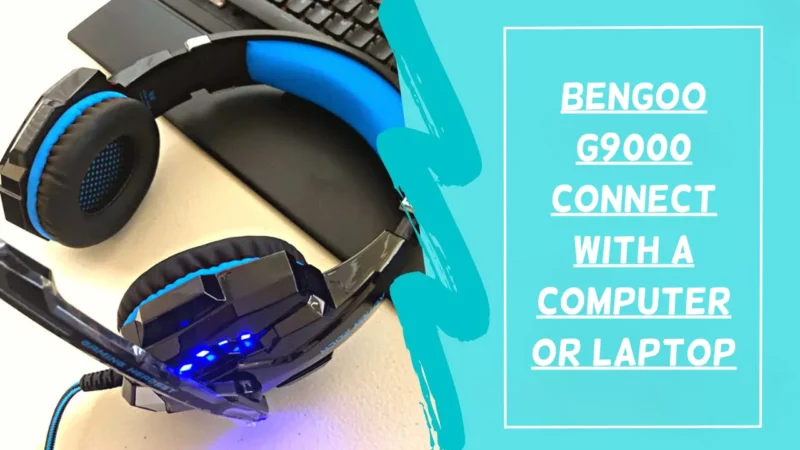
- For Separate Mic/Headphone Ports: Connect the headset’s 3.5mm plug into the included 1-to-2 splitter cable. Plug the green connector into the PC’s headphone jack and the pink connector into the microphone jack.
- For a Single Combo Port: Plug the headset’s main 3.5mm plug directly into the combo audio port. The PC should automatically recognize both the headphone and microphone.
- LED Lights: Plug the USB cable into any available USB port on your computer.
- Configuration: Navigate to your computer’s sound settings to ensure the Bengoo G9000 (or “Realtek High Definition Audio” or similar) is set as both the default input and output device. For some systems, understanding how to enter motherboard bios might be necessary if onboard audio is disabled.
Connecting to PlayStation Consoles (PS4 & PS5)
- Plug the headset’s 3.5mm audio jack directly into the corresponding port on the bottom of the DualShock 4 or DualSense controller.
- Plug the USB cable into a USB port on the console to power the LED lights (this is optional).
- On the console, navigate to Settings > Sound > Audio Output and ensure “Output to Headphones” is set to “All Audio.”
- Adjust the microphone level under Settings > Sound > Microphone. For controller issues, some users may need to know how to fix PS5 controller drift, which can sometimes be related to accessory port problems.
Connecting to Xbox Consoles (Xbox One & Xbox Series X|S)
- For modern controllers with a 3.5mm jack: Plug the headset’s 3.5mm plug directly into the controller’s port. The console should automatically detect it.
- For older Xbox One controllers without a 3.5mm jack: A separate Xbox One Stereo Headset Adapter (not included) is required. Plug the adapter into the controller and the headset’s 3.5mm jack into the adapter.
- The USB cable for the LED lights can be plugged into the Xbox console, but its length may be restrictive.
- You can adjust headset audio settings through the Xbox guide button by navigating to the Audio & Music tab. Understanding how to use Discord on Xbox can also be beneficial for managing party chat.
Is the Bengoo G9000 Still a Relevant Choice in 2025?
The Bengoo G9000 is an older model that remains in production due to its standing as a budget-level entry point for gaming audio. Its primary strength is its wide, plug-and-play compatibility across nearly all modern gaming systems via the 3.5mm jack.
Key Takeaway: The G9000 is a functional, entry-level headset. Its performance is aligned with its low price point. Users seeking higher fidelity audio, a more robust build, or advanced features like true hardware-based surround sound or wireless connectivity will need to look at more contemporary and higher-priced models.
For gamers on a strict budget who need a single headset for multiple platforms, the G9000 serves its purpose. However, the market for budget gaming peripherals is competitive, and newer models from various brands may offer improved microphone quality or a more balanced sound profile in a similar price range.
Frequently Asked Questions (FAQ)
Do I need to install any drivers for the Bengoo G9000?
No, the Bengoo G9000 is a plug-and-play device. It does not require any specific drivers for its audio or microphone functions. Your computer or console’s standard audio drivers are all that is needed.
Why are the LED lights on my headset not working?
The LED lights are powered exclusively by the USB cable. Ensure the USB plug is securely connected to a powered USB port on your PC, console, or a separate USB power source. The lights will not work if only the 3.5mm jack is connected.
My friends say my microphone volume is too low. How can I fix this?
First, check the in-line control on the headset’s cable to ensure the microphone is not muted. Second, check the microphone levels within your PC’s sound settings or your console’s audio settings menu. Finally, make sure the flexible microphone boom is positioned close to your mouth. If issues persist, testing the headset on another device can help determine if the problem is with the headset or the original device’s settings.
Is the Bengoo G9000 compatible with the Nintendo Switch?
Yes. You can plug the 3.5mm jack directly into the headphone port on the top of the Nintendo Switch for handheld play. The audio and microphone will function for games that support voice chat. When the Switch is docked, you may need a USB extension cable if you wish to power the LED lights.
What does the included 1-to-2 splitter cable do?
The splitter cable is for use with desktop PCs that have two separate 3.5mm ports: one for audio output (headphones, typically green) and one for microphone input (typically pink). It combines the single 3.5mm plug from the headset into these two separate connections. It is not needed for laptops with a single combo audio port or for console controllers.
Can the Bengoo G9000 be used with a mobile phone?
Yes, if your mobile phone has a 3.5mm headphone jack, the headset will work for audio and calls. If your phone does not have a headphone jack, you will need a corresponding adapter (e.g., Lightning to 3.5mm or USB-C to 3.5mm), which is not included.

With 15 years of experience as a PC hardware technician, Ben brings a practical, hands-on approach to our PC Components section. He specializes in real-world testing and longevity analysis, explaining how components perform over time. His guides help readers understand the practical side of owning and maintaining a gaming PC.