
A realistic racing simulation game with a tons of content to explore is called Gran Turismo 7. The game also offers a lengthy single-player campaign and a wide selection of unusual racing cars. As a result, a lot of car-collecting gameplay in the game. Both single-player and multiplayer game modes are available for the title.
It implies that gamers can enjoy competing with or racing other players. Gran Turismo 7 only immediately provides players access to the multiplayer mode, unlike most other games with such a feature. This article is about how to unlock multiplayer in Gran Turismo 7.
Can You Play Multiplayer on Gran Turismo 7?
Yes, you can! Gran Turismo 7 enables split-screen local multiplayer, which I’m happy to see games support. However, choosing ‘Lobby’ will take you to the internet multiplayer section of the game.
How Do You Set Up Multiplayer on Gran Turismo??
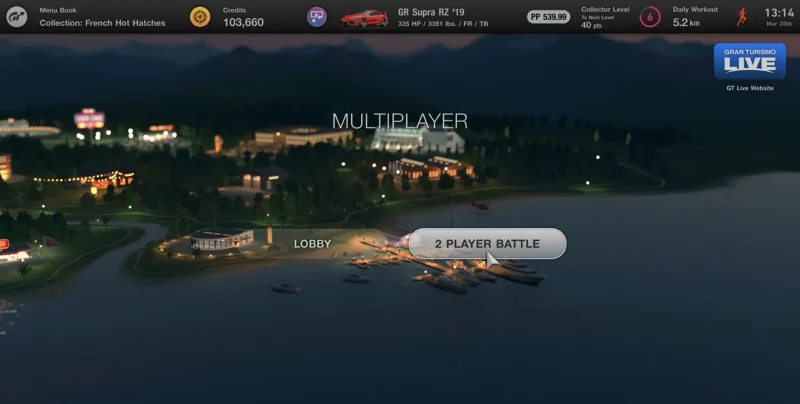
In Gran Turismo 7, you must finish menu book nine, Tokyo Highway Parade, to access multiplayer. The World Map screen provides access to Gran Turismo 7’s multiplayer function, although not right once.
Gran Turismo 7 offers two options for multiplayer gaming. In the lower right part of the map, players can join casual lobbies or engage in ranked seasons in Sport mode. Later, I’ll get into the key variations. Until then, adhere to these instructions to enable multiplayer in Gran Turismo 7.
Step 1: Go to the cafe and talk to Luca to start filling up menus. Gran Turismo 7’s campaign is its menu system. To play more races, explore more locations, and drive more vehicles, complete them. Most crucially, they’re required to activate Gran Turismo 7’s multiplayer.
Step 2: Continue grinding menus until you reach Tokyo Highway Parade in menu book 9. You will earn points in this Grand Prix, which consists of multiple races. Fortunately, you simply need to finish third overall. By this point, you’ve completed the High-Speed Ring Track Day Championship from menu book 4. The same rules apply to this race.
Step 3: Win the Tokyo Highway Parade and return to the cafe. Luca will offer you your reward if you speak with him. Back in the overworld, you can access Sport mode and multiplayer.
How Does Gran Turismo 7’s Multiplayer Work?
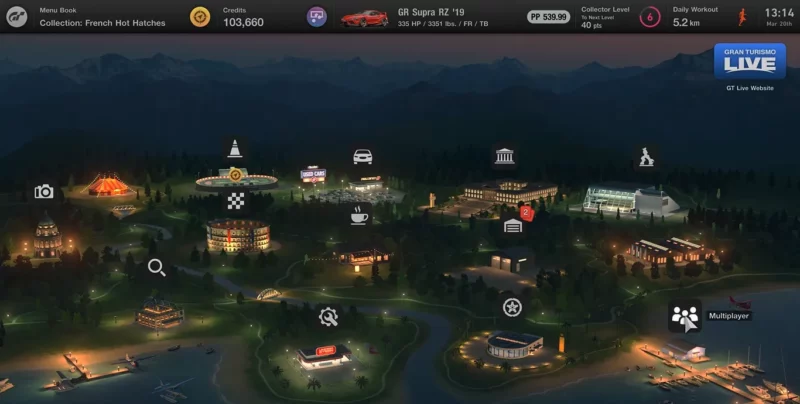
Players must go to the Multiplayer Pavilion, which can be found in the bottom right corner of the World Map screen, to participate in local split-screen multiplayer or online races with friends. They can then add a second controller and make or join a lobby with up to 19 other players from this point.
Players can participate in unique ranking races in Gran Turismo 7 in addition to the game’s standard multiplayer. Players can discover the Sports Pavilion in the top right-hand corner of the global map screen, where they can use it to access these.
How To Play 2 Player on Gran Turismo 7 PS5?
You can compete against friends and family in two-player split-screen racing while lounging at home. You need 2 controllers to use this feature. From this screen, you can choose from the options listed below. The task of implementing the various race settings will fall to Player 1.
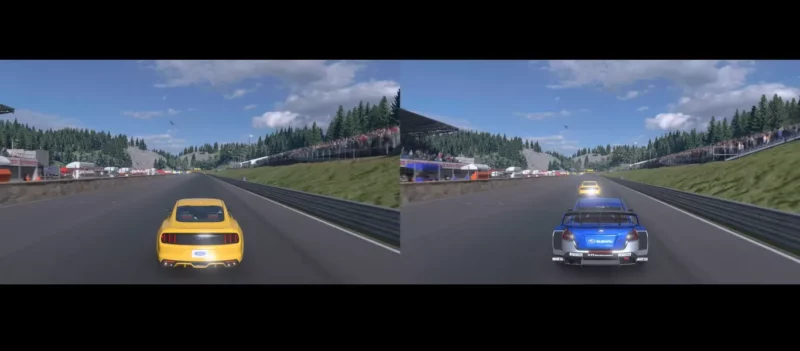
Gran Turismo 7 offers a method to participate in local multiplayer. Even though the Gran Turismo 7, 2 player split screen is almost a dinosaur in video games, choose 2 Player Battle from the multiplayer menu.
The host player (player 1) can decide the race’s regulations, and each player can choose their vehicle. You can also use the gran Turismo 7 split screen horizontally. You can decide whether to start the race with a rolling or grid start, as well as the course, weather, and time of day.
Related Article: how to sell cars in gran turismo 7
How is the Gran Turismo 7 Split Screen Fixed?
Unfortunately, if this is your first time playing GT7, you can’t immediately start a two-player split-screen race. You must unlock the Multiplayer location on the World Map to access the two-player split screen.
After completing GT Café Menu 9, this becomes available. The Multiplayer location can find after the menu finishes in the bottom right corner of the World Map.
How Long Does It Take to Unlock Multiplayer in Gran Turismo 7?
Gran Turismo 7, the most recent installment of the venerable racing video game series, has an enormous scope. It has a playing length of over 50 hours and includes more than 420 cars and approximately 100 tracks. It will take more than 50 hours significantly to finish the iconic game as it returns to its single-player career beginnings.
How To Get More Cars in Multiplayer Gran Turismo 7?
Gran Turismo 7 gamers will have to put in a ton of grinding to finish the car collections because there are over 400 cars available. Now that every car in Gran Turismo 7 has been through every dealership. You can reveal the staggering price tag of each automobile in the game: 430 million credits. After completing Menu Book 17 in Gran Turismo 7, players can access the Legend Cars showroom by finishing in the top three of the Trial Mountain Cup.
How Do You Use Two Controllers to Play Multiplayer Games on A PS5?
Press and hold both the PS and create buttons while using the additional controller you want to pair. Choose the different controller indicated on your screen using the already paired controller.
Does Gran Turismo 7 Support Online Multiplayer?
Even though the feature intends for local multiplayer, you must be online to use it. While various game modes, like conventional arcade racing, may be played offline, split screen, for some reason, can’t be played locally without being connected to the GT7 servers online.
Is Split-Screen Available in Gran Turismo 7 On the PS5?
Although the PS5 has the processing power to run a Split Screen function with more cars on the circuit. To fully utilize the system, the developers might provide more activities. You can plug two Wheels into the Gran Turismo 7 Split Screen option to further the experience.

As a former QA Lead for a major RPG studio, Freja possesses an unparalleled understanding of game mechanics and systems. She is the architect of our in-depth Game Guides, specializing in creating comprehensive walkthroughs and optimized character builds. Her guides are designed to help players master their favorite games and uncover every hidden secret.