
The motherboard is the central nervous system of your computer, orchestrating the seamless interaction of various components. In this comprehensive guide, we’ll unravel the mystery surrounding the main components on the motherboard, exploring their functions, and shedding light on related topics such as main memory, RAM, CPU, and more.
Main Components on the Motherboard
Before we delve into the details, let’s identify the two main components that form the backbone of the motherboard.
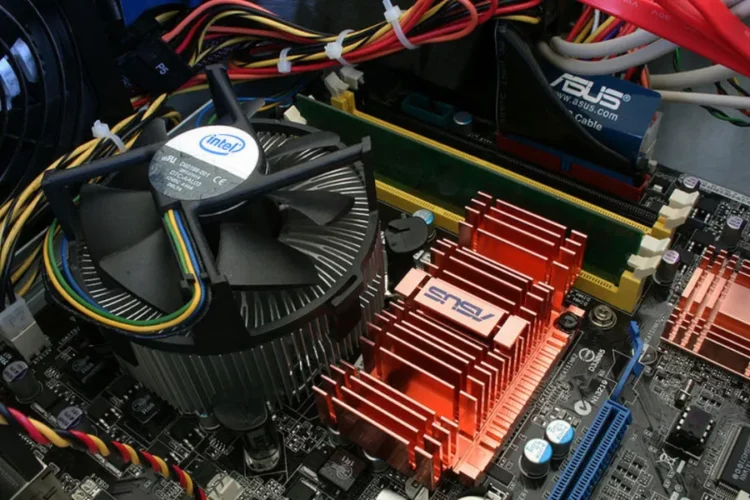
1) Central Processing Unit (CPU)
Often referred to as the brain of the computer, the CPU is responsible for executing instructions, performing calculations, and managing data flow.
2) Random Access Memory (RAM)
RAM serves as the computer’s short-term memory, providing fast access to data that the CPU needs in real-time.
Exploring Main Memory: What Are the 4 Types?
Understanding main memory is crucial for comprehending the intricacies of your computer’s functionality.
1) RAM (Random Access Memory)
Learn about the volatile memory that allows for quick data access but loses its content when the power is turned off.
2) ROM (Read-Only Memory)
Discover the non-volatile memory responsible for storing firmware and essential system instructions.
3) Cache Memory
Explore the high-speed memory that stores frequently accessed data for quicker retrieval.
4) Virtual Memory
Uncover the concept of virtual memory, an extension of physical RAM that helps manage large datasets.
Related Article: What Should Be Done Prior to the Installation of Ram onto the Motherboard?
CPU Demystified: What Is a CPU?
Delve into the heart of your computer as we demystify the CPU and its vital role in processing.
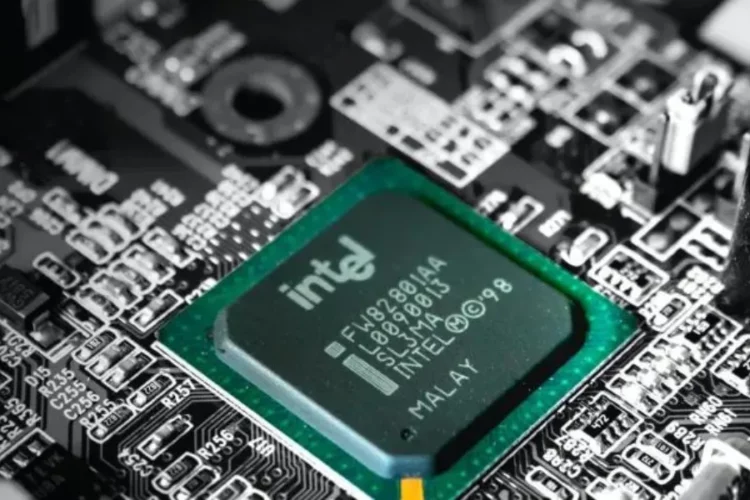
- The Brain of the Computer: Understand why the CPU is often likened to the brain, as it executes instructions and processes data.
- Clock Speed and Cores: Explore the concepts of clock speed and multiple cores, influencing the CPU’s processing power.
- CPU Architecture: Learn about different CPU architectures and their impact on performance.
The Role of ROM: What Is ROM?
Discover the Read-Only Memory and its unique function in storing critical system instructions.
- Firmware Storage: Understand how ROM retains essential firmware, ensuring your system’s stability.
- Boot Process: Explore how ROM contributes to the computer’s boot process, initializing the hardware.
Main Function of the CPU: Processing Power Unveiled
Unravel the primary function of the CPU and its pivotal role in data processing.
- Instruction Execution: Learn how the CPU executes instructions, influencing the speed and efficiency of your system.
- Arithmetic and Logic Operations: Explore the CPU’s prowess in performing arithmetic and logic operations, critical for various applications.
- Control Unit and ALU: Understand the inner workings of the Control Unit and Arithmetic Logic Unit (ALU) within the CPU.
10 Parts of a Motherboard and Their Functions
Embark on a journey through the motherboard, exploring its various components and their functions.
- CPU Socket: Learn about the CPU socket, the interface connecting the CPU to the motherboard.
- RAM Slots: Explore the slots where RAM modules are inserted for data storage and retrieval.
- Northbridge and Southbridge: Understand the roles of the Northbridge and Southbridge in managing data flow and peripheral connections.
- Expansion Slots: Discover the slots for adding additional components such as graphics cards and sound cards.
- BIOS/UEFI: Explore the Basic Input/Output System (BIOS) or Unified Extensible Firmware Interface (UEFI) for system initialization.
- CMOS Battery: Learn about the CMOS battery, essential for retaining BIOS settings and system time.
- SATA Ports: Explore the Serial ATA (SATA) ports for connecting storage devices like hard drives and SSDs.
- USB Headers: Understand the USB headers for connecting external devices and peripherals.
- Power Connectors: Explore the power connectors supplying electricity to the motherboard.
- PCI Express x16 Slot: Learn about the primary slot for connecting graphics cards, influencing gaming and graphical performance.
What are the two main components on the motherboard?
The two main components are the Central Processing Unit (CPU) and Random Access Memory (RAM).
What are the 4 types of main memory?
The four types are RAM (Random Access Memory), ROM (Read-Only Memory), Cache Memory, and Virtual Memory.
What is the main function of the CPU?
The main function of the CPU is to execute instructions, perform calculations, and manage data flow in a computer.
What if I replace my motherboard?
Replacing a motherboard involves reinstalling the operating system and drivers. Ensure compatibility with existing components.
What are the 10 parts of a motherboard and their functions?
Explore components like CPU socket, RAM slots, Northbridge, Southbridge, expansion slots, BIOS/UEFI, CMOS battery, SATA ports, USB headers, power connectors, and PCI Express x16 slot.
Can I upgrade the CPU on my motherboard?
The possibility of upgrading the CPU depends on compatibility. Check your motherboard’s specifications for supported CPU types.

With 15 years of experience as a PC hardware technician, Ben brings a practical, hands-on approach to our PC Components section. He specializes in real-world testing and longevity analysis, explaining how components perform over time. His guides help readers understand the practical side of owning and maintaining a gaming PC.