
Navigating the world of high-resolution displays can be complex, but 5K monitors represent a significant milestone in visual fidelity. Offering a substantial increase in pixel density over their 4K counterparts, these displays provide unparalleled clarity, making them a cornerstone for creative professionals, programmers, and data analysts who demand the sharpest and most expansive digital canvas available. This guide offers a purely informational breakdown of the leading 5K monitors on the market, ensuring you have the objective data needed to understand your options.
Understanding 5K Resolution: A Leap in Clarity
Standard 5K resolution is defined as 5120 x 2880 pixels. This equates to over 14.7 million pixels, a 77% increase over the 8.3 million pixels found in a 4K (3840 x 2160) display. This jump in pixel density results in incredibly sharp text, lifelike images, and the ability to view 4K content at its native resolution while still having ample space for toolbars and other applications.
Another popular category is the 5K2K or WUHD (Wide Ultra HD) resolution, typically found in ultrawide monitors at 5120 x 2160 pixels. While it shares the same horizontal pixel count as true 5K, its vertical resolution is lower. This format is ideal for multitasking and provides an immersive, panoramic view. For those considering an ultrawide vs. a regular monitor, the 5K2K resolution offers a compelling compromise between extreme width and pixel density.

Comparison of Leading 5K Monitors in 2025
| Feature | Samsung Odyssey Neo G9 (57″) | LG 27MD5KL-B UltraFine | Dell UltraSharp U4924DW | LG 40WP95C-W UltraWide | Apple Studio Display |
| Screen Size | 57 Inches | 27 Inches | 49 Inches | 39.7 Inches | 27 Inches |
| Resolution | 7680 x 2160 (Dual UHD) | 5120 x 2880 (5K) | 5120 x 1440 (Dual QHD) | 5120 x 2160 (5K2K) | 5120 x 2880 (5K) |
| Panel Type | VA with Quantum Mini-LED | IPS | IPS Black | Nano IPS | IPS |
| Refresh Rate | 240Hz | 60Hz | 60Hz | 72Hz | 60Hz |
| Peak Brightness | 1000 nits (HDR) | 500 nits | 350 nits | 300 nits | 600 nits |
| Color Gamut | 95% DCI-P3 | 99% DCI-P3 | 98% DCI-P3 | 98% DCI-P3 | 99% DCI-P3 |
| Key Ports | DisplayPort 2.1, HDMI 2.1 | Thunderbolt 3, 3x USB-C | Thunderbolt 4, 2x HDMI 2.1, DP 1.4, 2.5GbE RJ45 | Thunderbolt 4, 2x HDMI 2.0, DP 1.4 | Thunderbolt 3, 3x USB-C |
| HDR | VESA DisplayHDR 1000 | No | No | HDR10 | No |
| Stand Adjustments | Height, Swivel, Tilt | Height, Tilt | Height, Swivel, Tilt | Height, Swivel, Tilt | Tilt (Height optional) |
| Best For | Immersive Gaming & Multitasking | Mac Users & Content Creators | Ultimate Productivity & Multitasking | Professional Video & Creative Work | Seamless Apple Ecosystem Integration |
Detailed Analysis of the Top 5K Monitors
This section provides an objective look at the specifications and ideal applications for each of the five monitors highlighted, including updated information on their status.
Samsung Odyssey Neo G9 (57-Inch) – The Gaming Powerhouse
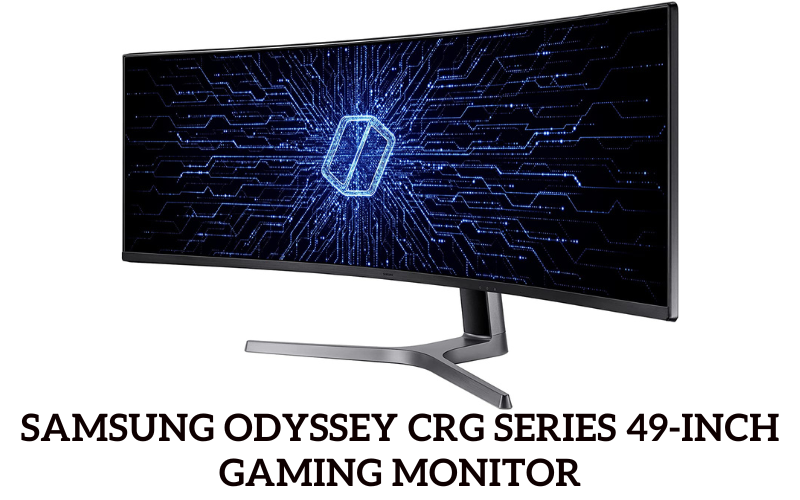
The original Samsung CRG 49-inch monitor has been succeeded by more advanced models. The current pinnacle of this line is the Samsung Odyssey Neo G9 (LS57CG952N), which pushes the boundaries of display technology. While technically a Dual UHD monitor rather than a Dual QHD (5K) display, its immense resolution and feature set place it in a class of its own for high-end gaming and multitasking. For a truly powerful setup, pairing this with a top-tier graphics card like the NVIDIA GeForce RTX 4090 is essential.
Design and Features
The Odyssey Neo G9 features an aggressive 1000R curvature designed to match the human eye’s field of view, creating a deeply immersive experience. Its Quantum Mini-LED backlight, with 2,392 local dimming zones, delivers exceptional contrast and is certified with VESA DisplayHDR 1000 for brilliant highlights and deep blacks.
Performance
With a 240Hz refresh rate and a 1ms (GtG) response time, the Neo G9 is engineered for elite gaming performance. The Dual UHD resolution (7680 x 2160) provides an enormous digital landscape, equivalent to two 32-inch 4K monitors side-by-side. This makes it a titan for both gaming and complex workflows, such as those in a sim racing setup.
Connectivity
It is one of the first monitors to feature DisplayPort 2.1, providing the bandwidth necessary for its demanding resolution and refresh rate. It also includes HDMI 2.1 ports and a built-in USB hub.
Ideal Use Case
This monitor is primarily for users who prioritize immersive, high-refresh-rate gaming and extreme multitasking. Its sheer scale and performance-focused features are less about pinpoint color accuracy and more about providing an overwhelming and fluid visual experience.
LG 27MD5KL-B 27-Inch UltraFine 5K – The Mac Specialist
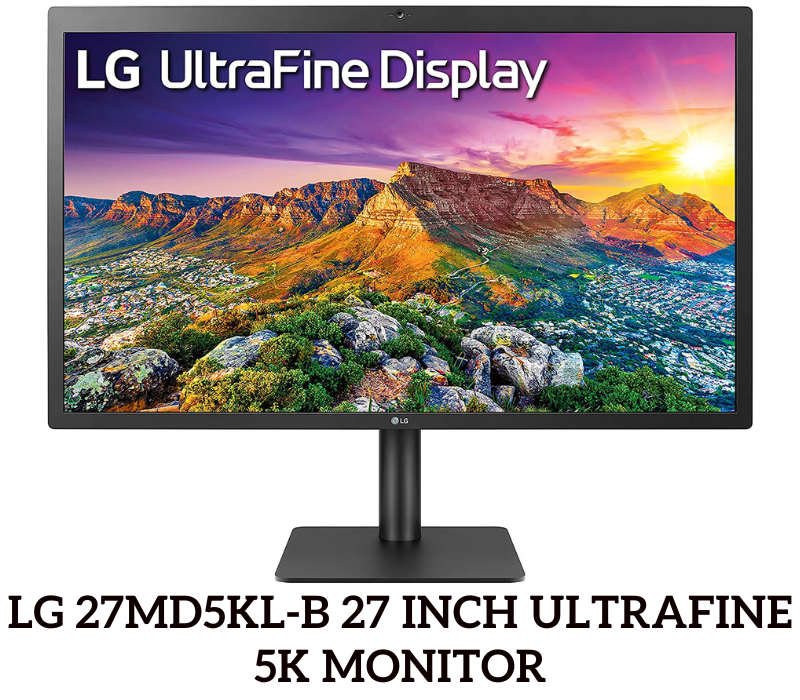
The LG UltraFine 5K remains a highly relevant and sought-after monitor, particularly for users within the Apple ecosystem. It is specifically designed to work seamlessly with macOS, offering a true 5K (5120 x 2880) resolution in a standard 16:9 aspect ratio.
Design and Features
Its design is minimalist and functional, intended to complement Apple’s aesthetic. It features a built-in camera, microphone, and stereo speakers, making it an all-in-one solution for video conferencing and media consumption. The display reaches a strong 500 nits of brightness and covers 99% of the DCI-P3 color gamut, ensuring vibrant and accurate colors.
Performance
With a pixel density of 218 PPI, the UltraFine 5K delivers exceptionally sharp text and images, making it a favorite among photographers and video editors. The 60Hz refresh rate is standard for professional creative work and is not geared toward high-end gaming. Its performance is optimized for clarity and color precision.
Connectivity
Connectivity is its defining feature. A single Thunderbolt 3 port provides video, data, and up to 94W of power delivery to a connected MacBook with one cable. It also includes three downstream USB-C ports for peripherals. This makes it an excellent choice for those seeking a Thunderbolt monitor with a simple and powerful connection.
Ideal Use Case
This monitor is the top choice for Mac users who require a true 5K resolution for professional creative work like photo editing, video production, and graphic design, and who value the simplicity of a single-cable setup.
Dell UltraSharp U4924DW 49-Inch – The Productivity Champion
Product Status
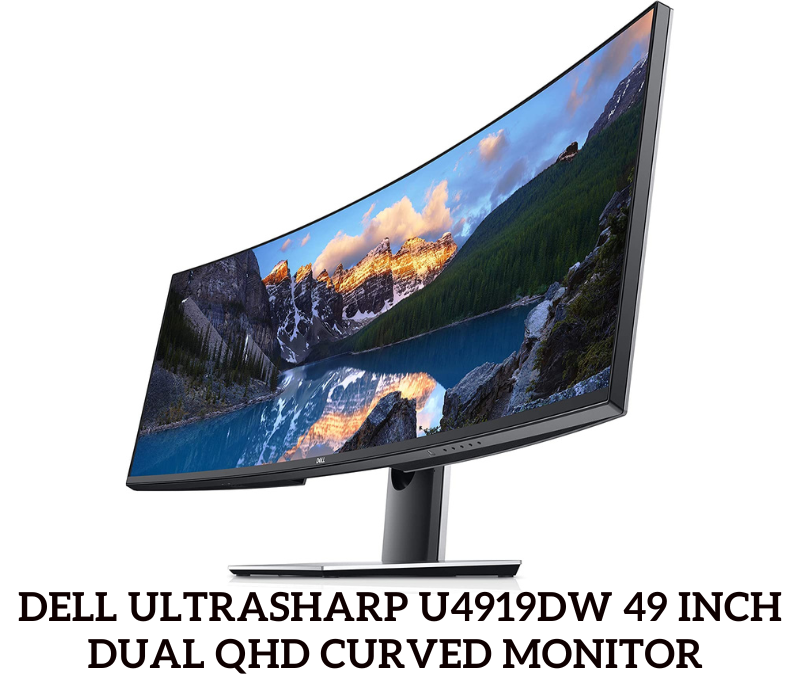
The Dell UltraSharp U4919DW has been discontinued and replaced by a significantly improved model, the Dell UltraSharp U4924DW. This new version enhances the original’s feature set with superior panel technology and connectivity.
Design and Features
The U4924DW is a 49-inch curved ultrawide with a 32:9 aspect ratio and a Dual QHD (5120 x 1440) resolution. Its most significant upgrade is the use of IPS Black technology, which delivers a 2000:1 contrast ratio—double that of conventional IPS panels—for noticeably deeper blacks. It also includes an integrated KVM switch and a comprehensive hub with a 2.5GbE RJ45 port.
Performance
This monitor is built for productivity. The vast screen real estate is equivalent to two 27-inch QHD monitors, allowing for exceptional multitasking without a bezel in the middle. The 60Hz refresh rate is suitable for business applications, coding, and data analysis. Color coverage is excellent, with 98% DCI-P3, making it viable for creative work where color accuracy is important.
Connectivity
Its connectivity is extensive. It features a Thunderbolt 4 upstream port with 90W power delivery, multiple USB-C and USB-A ports, HDMI 2.1, DisplayPort 1.4, and a high-speed Ethernet port, making it a true single-cable docking station solution for modern laptops. Knowing how to connect a Dell monitor to a MacBook Pro is straightforward with its versatile ports.
Ideal Use Case
The U4924DW is the ultimate tool for financial traders, programmers, and multitasking professionals who need to manage multiple windows and applications simultaneously on a single, seamless display.
LG 40WP95C-W 40-Inch UltraWide 5K2K – The Creative’s Ultrawide
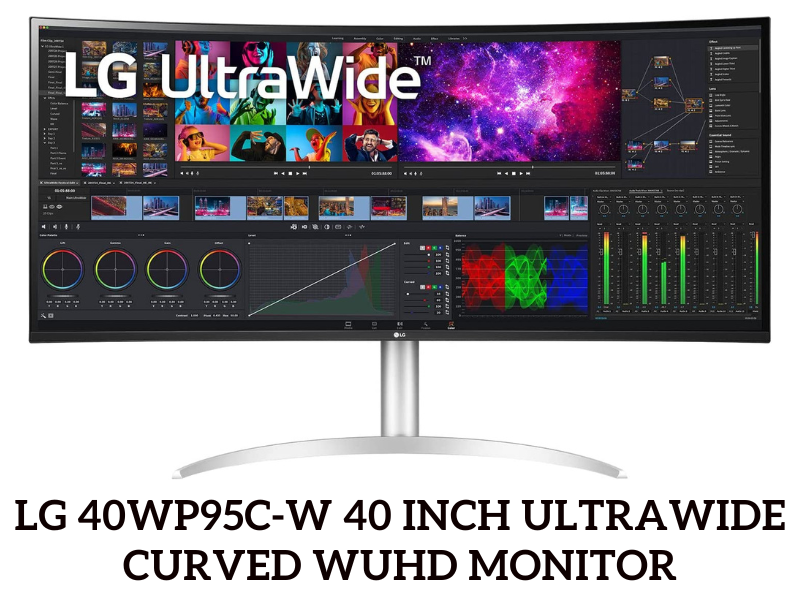
The LG 40WP95C-W carves out a unique space in the market, offering a large ultrawide screen with a high-resolution 5K2K (5120 x 2160) panel that provides more vertical space than its 49-inch counterparts.
Design and Features
This 40-inch monitor features a subtle 2500R curve and a Nano IPS panel. It boasts 98% DCI-P3 color gamut coverage and is hardware calibration ready, signaling its focus on professional use. It also includes an ambient light sensor that automatically adjusts brightness.
Performance
The 5K2K resolution provides a pixel density of 140 PPI, which is identical to a 32-inch 4K monitor but with 33% more horizontal screen space. This makes it perfect for video editors working with long timelines or designers needing a wide canvas. It has a 72Hz refresh rate with AMD FreeSync, offering a slightly smoother experience than 60Hz displays, though it is not primarily a gaming monitor.
Connectivity
It is well-equipped with modern ports, including a Thunderbolt 4 input with 96W power delivery and a second Thunderbolt 4 port for daisy-chaining other devices. It also has DisplayPort 1.4, two HDMI 2.0 ports, and a USB hub.
Ideal Use Case
This monitor is ideal for content creators, especially video editors and music producers, who need the horizontal space of an ultrawide but also require higher vertical resolution and top-tier color accuracy for their work.
Apple Studio Display 27-Inch – The Seamless Ecosystem
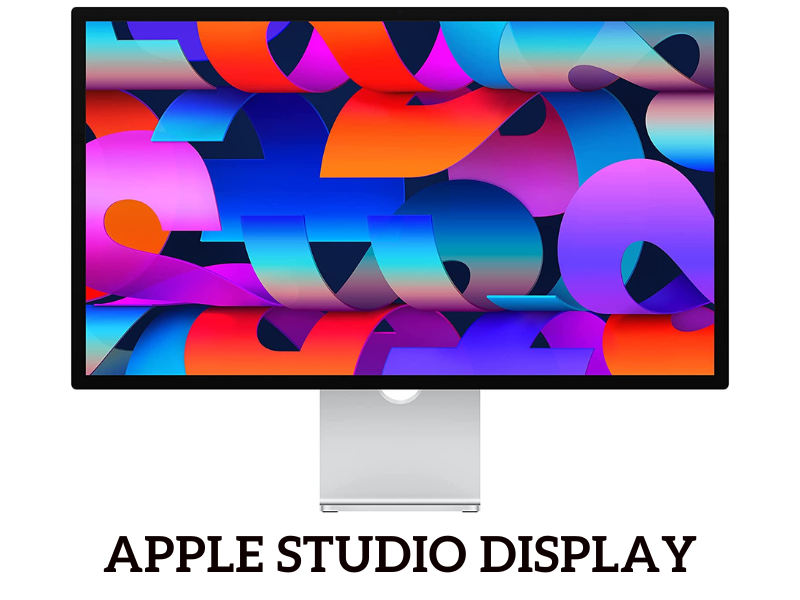
Launched as a more accessible alternative to Apple’s Pro Display XDR, the Apple Studio Display is a true 5K (5120 x 2880) monitor built from the ground up for seamless integration with the Mac ecosystem.
Design and Features
Encased in a sleek aluminum chassis, the Studio Display is visually striking. It features a stunning screen with 600 nits of brightness and P3 wide color. Integrated features are its main draw, including a 12MP Ultra Wide camera with Center Stage, a studio-quality three-mic array, and a high-fidelity six-speaker sound system with Spatial Audio.
Performance
Powered by an internal A13 Bionic chip, the display manages its advanced camera and audio features independently of the host computer. The panel’s performance is exceptional for creative work, with a 218 PPI pixel density that produces razor-sharp visuals. Like the LG UltraFine, its 60Hz refresh rate is geared for professional applications, not competitive gaming. The optional nano-texture glass is a notable feature for reducing glare in bright environments.
Connectivity
Connectivity is streamlined for Mac users. It has one upstream Thunderbolt 3 port that delivers 96W of power and three downstream USB-C ports (10Gb/s) for connecting peripherals.
Ideal Use Case
The Apple Studio Display is intended for users deeply invested in the Apple ecosystem who want a high-fidelity 5K display that works perfectly out of the box with their Mac, offering best-in-class integrated camera and audio for a premium user experience.
Key Considerations for Choosing a 5K Monitor
Making the right choice involves more than just looking at resolution. Here are the key factors to consider.
True 5K vs. 5K2K Ultrawide
Your first decision is between a standard 16:9 aspect ratio monitor with a true 5K (5120 x 2880) resolution and an ultrawide 21:9 monitor with a 5K2K (5120 x 2160) resolution. True 5K offers the highest pixel density and is best for detailed photo and video work. 5K2K provides a wider field of view, which is excellent for timeline-based applications and multitasking.
Panel Technology: IPS, VA, and OLED
- IPS (In-Plane Switching): The most common technology in this category, known for its excellent color accuracy and viewing angles. IPS Black is a newer variant that offers significantly better contrast.
- VA (Vertical Alignment): Often found in gaming monitors like the Odyssey Neo G9, VA panels provide the best contrast ratios (before Mini-LED), resulting in deep blacks.
- OLED (Organic Light Emitting Diode): While not featured on this list, OLED technology offers per-pixel lighting for perfect blacks and instantaneous response times, but it is currently more common in 4K displays.
Refresh Rate and Response Time
For most professional work, a 60Hz or 72Hz refresh rate is perfectly adequate. However, for high-speed gaming, a monitor with 120Hz or higher, like the Samsung Odyssey Neo G9, is necessary for a smooth, fluid experience. Understanding what overdrive on a monitor is can be useful for optimizing motion clarity.
Connectivity: Matching Your Monitor to Your Machine
Ensure the monitor’s ports match your computer’s outputs. Thunderbolt 3 or 4 is ideal for Mac users and many modern Windows laptops, offering video, data, and power over a single cable. For high-refresh-rate gaming, DisplayPort 2.1 is becoming the new standard. And if you run into issues like your monitor keeps going black, it can sometimes be a cable or port compatibility problem.
Color Accuracy and HDR
For creative professionals, look for high coverage of color gamuts like DCI-P3 (98% or higher). For a true HDR experience, a monitor must have high peak brightness (1000 nits or more) and local dimming, as seen in the Samsung Odyssey Neo G9 with its VESA DisplayHDR 1000 certification. For tasks where color is paramount, a color-accurate monitor is a non-negotiable investment.
Frequently Asked Questions (FAQ)
Is a 5K monitor worth it over a 4K monitor?
For many creative professionals, yes. The 77% increase in pixels provides a noticeably sharper image, making text easier to read and allowing for 1:1 editing of 4K video with room for tools. For general use and gaming, the difference is less pronounced, and a high-quality 4K monitor may be a more practical choice.
What graphics card (GPU) is required for a 5K monitor?
Driving over 14.7 million pixels requires a powerful GPU. For professional work and media consumption, a mid-range card like an NVIDIA GeForce RTX 3060 or AMD Radeon RX 6700 XT is sufficient. For 5K gaming, a high-end card like the NVIDIA GeForce RTX 4080/4090 or AMD’s top-tier Radeon RX 7900 XTX is necessary to achieve playable frame rates. Checking to see what GPU is equivalent to a PS5 can give you a baseline, but 5K requires significantly more power.
Can you effectively game on a 5K monitor?
You can, but it is extremely demanding. Even the most powerful GPUs struggle to run modern games at a native 5K resolution with high settings. Most users opt to run games at a lower resolution (like 1440p or 4K) on a 5K screen. For gaming-focused users, a high-refresh-rate 4K or 1440p monitor is often a better choice unless you have a top-of-the-line gaming rig.
Does HDMI support 5K resolution?
HDMI 2.1 can support 5K resolution. However, its bandwidth limitations often mean it cannot run at the same high refresh rates as DisplayPort. For example, it might support 5K at 60Hz but not 120Hz. For the best performance, especially at high refresh rates, DisplayPort is the preferred connection.
What is the main difference between the Apple Studio Display and the LG UltraFine 5K?
Both are 27-inch, 5K (5120 x 2880) monitors aimed at Mac users. The primary differences lie in the features and design. The Apple Studio Display offers a premium aluminum build, higher 600-nit brightness, and a significantly better integrated camera, microphone, and speaker system powered by an A13 chip. The LG UltraFine 5K is more utilitarian in design but offers a height-adjustable stand as standard and provides nearly identical core display performance for a lower price point.

With 15 years of experience as a PC hardware technician, Ben brings a practical, hands-on approach to our PC Components section. He specializes in real-world testing and longevity analysis, explaining how components perform over time. His guides help readers understand the practical side of owning and maintaining a gaming PC.