
Are you interested in cryptocurrency mining and wondering whether ram speed affects mining? When creating an Ethereum mining rig, it’s important to know what parts you’ll need and how much Memory you’ll need for mining. As a result, there are several things to consider when selecting a RAM for mining.
Does ram affect crypto mining? I advise using anything between 4GB and 16GB of RAM because having more RAM does not necessarily translate into higher mining performance. Consider the operating system for the mining and virtual memory used when determining what size RAM best suits your needs.
Here is a complete guide that will assist you; how much ram do I need for mining?
Is RAM Necessary for Mining?
Yes! There are several things to consider while picking the RAM for your mining machine. Your computer’s short-term memory storage, or RAM (random access memory), allows it to access the data it needs to run applications more quickly. Generally, more RAM needs to keep a quick reaction time from the computer the more applications you intend to run on your device.
Complete Guide: Best RAM for Ryzen 9 5900x
How Much RAM is Needed for Ethereum Mining?
How much ram do I need for mining? Simply put, you need to use more RAM than 2GB for mining. Since more RAM does not necessarily mean faster mining, I advise utilizing 4GB to 16GB of RAM.
Since mining cryptocurrencies requires a lot of processing power, more RAM is ideal. The ideal memory size for bitcoin mining is 8GB. When mining Ethereum, you’ll need a lot of RAMs to run the mining application effectively.
Related Article: What is The Purpose of The Cmos Ram on a Motherboard?
According to some studies, 8GB of RAM is the absolute minimum requirement for Ethereum mining to be profitable. However, this number could change depending on your computer’s hardware and mining software. A minimum of 4GB of mining RAM is needed for Litecoin mining.
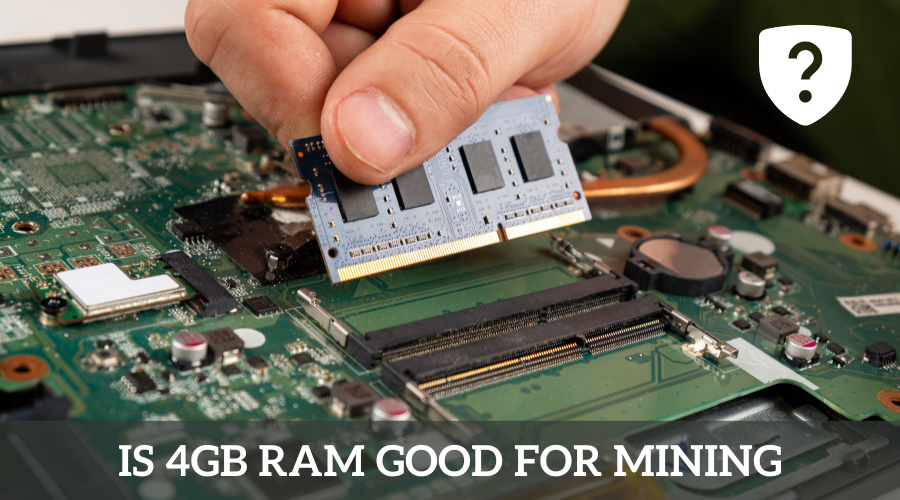
Is 4GB RAM Good for Mining?
The operating system you select to operate your mining machine will ultimately determine your required RAM. Some miners assert that 4GB is sufficient for running Windows 10, while others advise purchasing 8GB and afterward regretting it.
In terms of Windows 10, there are several strong reasons to choose the 8GB version over the 4GB one. The major justification for this is that if you opt to cut corners on RAM, you can experience lag problems that will slow down your operating system.
As an illustration, suppose you installed 4GB of RAM on Windows 10 and wish to launch MSI Afterburner while your mining rig is mining Ethereum. The mining software and several background processes that Win10 runs all the RAM may explain why the program sometimes takes a long time to load or is slow.
Read Also: Best DDR5 RAM for Gaming
Even though this issue may seem minor to some miners, managing many rigs may be very time-consuming, especially when trying to overclock and switch out mining software. Regarding Linux-based mining operating systems, 2 to 4GB is ideal, although I recommend getting the 4GB.
It all comes down to 8GB on Windows 10 for maximum speed, 4GB on Linux, and 2GB on Windows 10 for those who want to take a chance to save money. The upgraded version is not much more expensive, given the extra perks. AMD Vega cards used in mining require 8GB to access mining optimization capabilities. Which is the only reason RAM can directly affect mining hash rates.
How To Select the Ideal RAM For Mining?
Establish your budget first. You must choose the performance level and budget you desire for your graphics card. Select a RAM size that meets your needs and is economical. Consider getting a higher-end graphics card with more RAM if you want a low-cost one but want to maintain performance.
RAM will be necessary for your computer or mining system, but not in a different way than it would be for a gaming computer. You must first decide if you want to undertake a budget construction to optimize your mining revenues.
If you want to spend a bit more money upfront, an alternative is to purchase a computer that will be better for gaming and more usage once you stop mining. Therefore, it would be ideal to consider several factors and carefully search for them while selecting the greatest RAM.
1) Size Of Digital Storage
The digital storage capacity in RAM refers to the total amount of memory a computer can store data. RAM is essential because it allows computers to retrieve information quickly. You just need the minimum amount of RAM needed is 8GB. A CPU must have four cores or more an operating system that supports virtualization
2) DDR Series Of RAM
The term DDR refers to the dual data rate. It is sometimes referred to as a double data rate because it is a memory type that can support two separate rates. DDR use in computer memory, but it can also find in some video cards and other hardware.
A few different types of memory can use for cryptocurrency mining. The most common type of memory used in laptops is DDR4. DDR4 RAM is preferable to DDR3 RAM for bitcoin mining because it is faster and can process more data simultaneously.
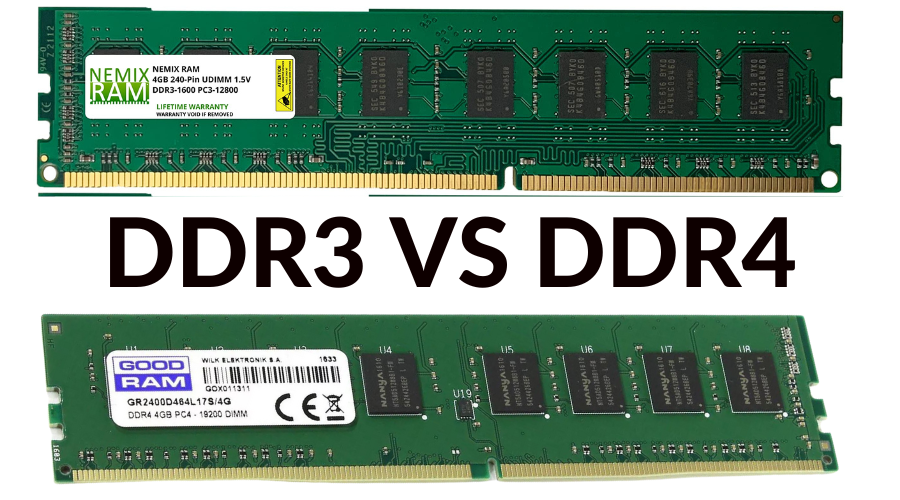
DDR4 memory is more appropriate for mining Ethereum and other cryptocurrencies that demand a lot of processing power. However, some professionals claim that the best RAM for cryptocurrency mining is DDR5 or DDR6. Both models deliver outstanding performance and can handle large workloads.
Info: Best RAM for Ryzen 7 3700X
How Much Internet Usage Does Mining Have?
It uses very little internet bandwidth. For even a medium to large mining farm, 5mbps would be plenty. Red Panda Mining produced a fantastic video in which he measured the bandwidth usage of a typical six RX 580 mining rigs for an hour.
What is A Crypto Mining Calculator?
Typically, miners gauge their energy usage in watts (W) per hour (W/h) or kilowatt hours (kWh). A kW equals 1,000 W. Each bitcoin mining device’s factory estimated power consumption list in the product details, but the actual figure may vary.
Does RAM Speed Matter for Mining?
Yes! Increasing the ram size and using the best ram will speed up the mining process.
Can A 2GB GPU Be Used to Mine Ethereum?
NO! You need a larger than 2 GB. Mining Ethereum requires at least a 3 GB card.

Aarav is a custom PC building virtuoso and the head of our PC Builds and System Requirements sections. He specializes in creating clear, step-by-step guides that demystify the process of building a high-performance gaming rig. His meticulous testing ensures our system requirements guides are the most accurate and reliable available.