
Join forces in Grand Theft Auto V (GTA 5), an immersive open-world game brimming with endless exploration, daring heists, and adrenaline-pumping missions. Let’s create your crew and conquer Los Santos together!
Forming your own crew is a standout feature that sets GTA 5 apart and adds an extra layer of excitement to the game. In this article, we will guide you through the process of creating a crew in GTA 5 across different platforms and delve into the exciting activities crews can engage in. So grab your controllers, because it’s time to unlock the power of teamwork in the virtual streets of Los Santos!
How to Make a Crew in GTA 5?
Crafting a crew in GTA 5 is a simple and seamless process, empowering you to gather a team of kindred players and conquer the game’s challenges in unison. Regardless of your platform—be it PS4, Xbox, or the cutting-edge PS5—the steps to form a crew remain consistent and user-friendly.
See how to make a crew in GTA 5 PS4. To assemble a crew on PS4 or, follow these straightforward steps:
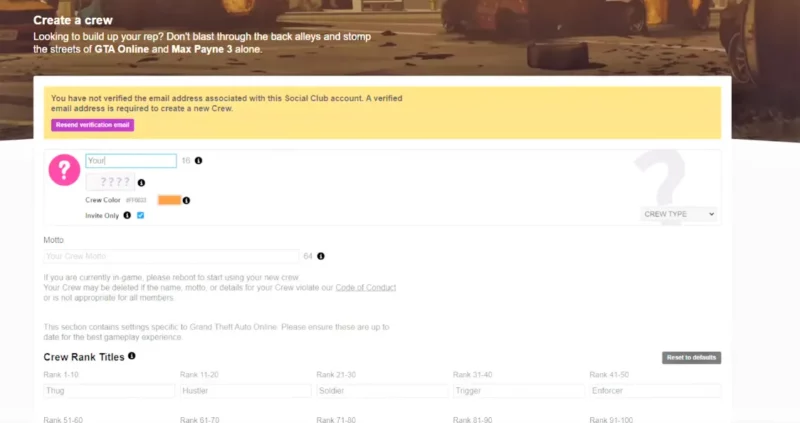
- Launch the game and navigate to the online tab in the main menu.
- Select Crews and choose Create a Crew.
- Customize your crew by selecting a name, tag, emblem, and description.
- Decide on the crew’s privacy settings, whether it’s open to everyone or invite-only.
- Invite friends or other players to join your crew and establish a strong team.
How to Make a Crew in GTA 5 Online PS5?
- Launch GTA 5 Online on your PS5.
- Go to the online tab and select Crews.
- Create a crew with a unique name, tag, and description.
- Choose privacy settings and invite friends to join.
- Unleash your crew’s potential in heists, multiplayer modes, and dominate Los Santos together.
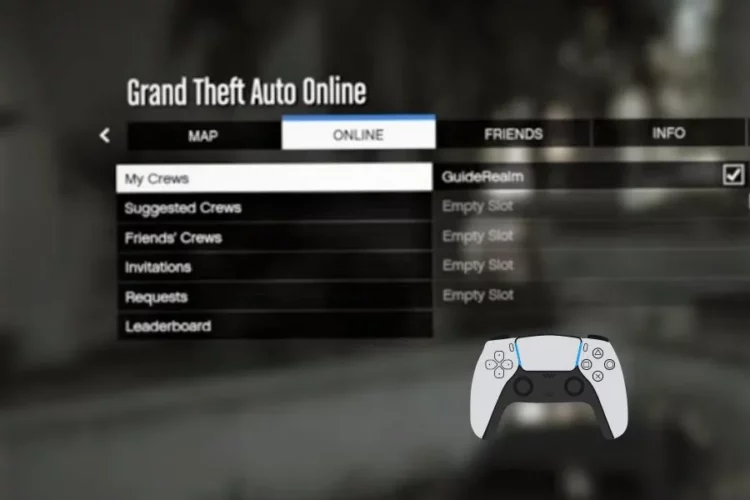
How to Invite Other Players to Join Your Crew?
After establishing your crew, it’s time to bolster your ranks and extend invitations to fellow players, inviting them to embark on thrilling adventures together. Inviting players to your crew is a fantastic way to build a cohesive team and maximize your crew’s potential.
To invite players to your crew, follow these steps:
- Open the in-game menu and select the online tab.
- Navigate to Crews and choose My Crews.
- Select your crew and click on Members.
- Select the invite option and enter the usernames or gamer tags of the players you desire to invite, extending them a warm welcome to join your crew.
- Send out the invites and wait for their response. Once accepted, they become official crew members!
Exploring the Possibilities: What Can a Crew Do in GTA 5?
Being part of a crew in GTA 5 opens up a world of exciting opportunities. Here are a few things crews can do together:
Engage in Epic Heists
Plan and execute elaborate heists with your crew members, coordinating each step to achieve the ultimate score.
Compete in Multiplayer Modes
Engage in a diverse range of multiplayer modes, including thrilling races, intense deathmatches, and strategic capture missions. These modes emphasize the significance of teamwork, as it becomes essential for achieving victory and dominating the competition.
Dominate the Streets
Rule the streets of Los Santos by participating in crew battles against rival gangs or other crews, showcasing your crew’s dominance.
Customize Your Crew
Unlock exclusive crew emblems, outfits, and vehicles to represent your crew’s unique identity.
Starting a Crew Only Session in GTA 5
Sometimes, you may want to enjoy the game exclusively with your crew members without any interference. How do you start a crew only session in GTA 5? To start a crew-only session, follow these steps:
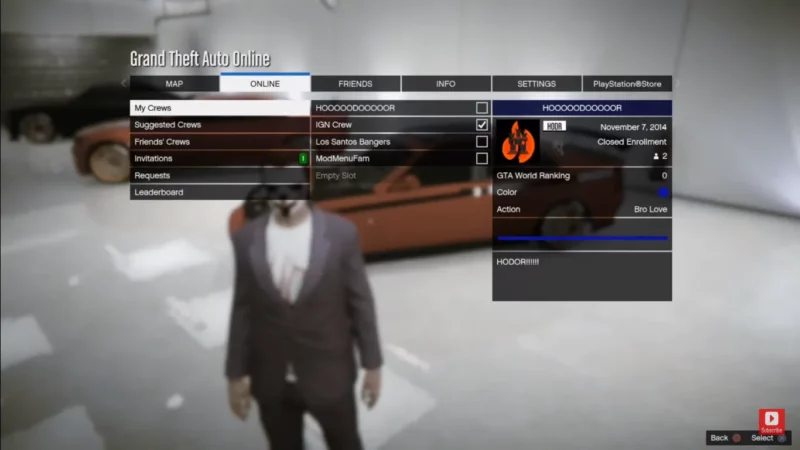
- Launch GTA 5 and navigate to the online tab.
- Select options and go to online.
- Choose Play GTA Online and select invite only Session.
- Now, invite your crew members to join the session and indulge in a private world tailored to your crew’s desires.
Forming a crew in GTA 5 amplifies the thrill and excitement of the game, as you and your crew members conquer challenges, engage in epic heists, and dominate the virtual streets of Los Santos together. Regardless of your platform PS4, Xbox, or the cutting-edge PS5 forming a crew is a seamless process that unlocks a myriad of possibilities.
Gather your friends, extend invitations to new players, and embark on an adventure that exemplifies the unparalleled power of teamwork. Embrace the boundless possibilities of GTA 5 and revel in the joys of crewing together. Enjoy the journey and happy gaming!
Conclusion

As a former QA Lead for a major RPG studio, Freja possesses an unparalleled understanding of game mechanics and systems. She is the architect of our in-depth Game Guides, specializing in creating comprehensive walkthroughs and optimized character builds. Her guides are designed to help players master their favorite games and uncover every hidden secret.