
Players return to PC2, the most well-liked game in the series. It presents the ideal chance to go deeper into the experience, hone your skills, and create the best in-game setups to tune your car perfectly. Project CARS 2 has 29 motorsport series and 9 different motorsport disciplines.
So, there are plenty of tuning options to consider whether you want to drift or shave off valuable seconds from your lap time. Since no further DLC anticipates for the series, tuning is the best method to get the most out of the game. Let’s look at some top project cars 2 setups configurations and demonstrate how to apply them to your cars in-game.
Project Cars 2 Setups Guide
The racing simulator game Project CARS 2 allows you to experience driving a race car conveniently in your own house. Racing simulators are slightly harsh, like there are no do-overs in an actual race.
It ranks in the middle of its competitors, despite being the least challenging or realistic simulator available. Although you presumably came here looking for the perfect setup, a few alternatives are worthwhile considering.
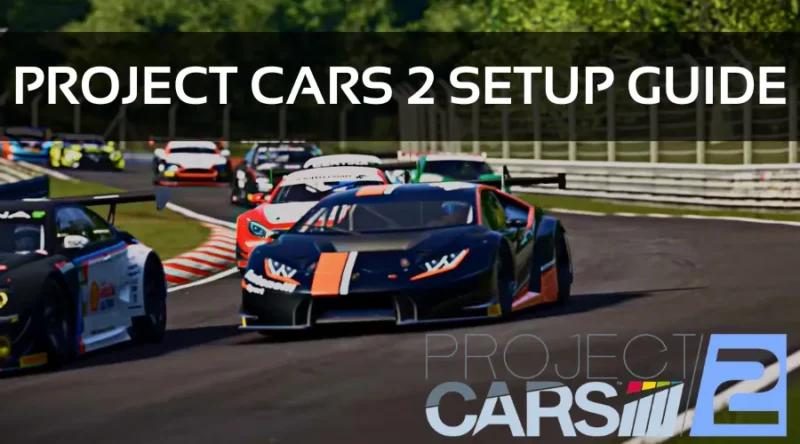
Here are a few early suggestions that will help you get the most out of the setups I’ll be teaching you best because there isn’t a one size fits all solution for setups due to the wide variety of tracks, cars, and your driving style. Let’s dive in!
Race Engineer
Many of you have undoubtedly noticed the Project CARS 2 Race Engineer in-game but have yet to see it since you thought it wouldn’t be useful. However, it might 21 be a useful tool for people just getting started with tweaking and configurations.
I advise selecting a vehicle you wish to tweak and getting acquainted with it before starting the Race Engineer. Consider making a few notes on how you’d like to enhance the setup so you can accurately respond to the following questions.
After finishing the test drive, you’ll access the Race Engineer, where you’ll ask several questions about your unique driving style. The in-game AI will then make tweaking recommendations based on your specific requirements.
By learning a lot about how to set up the car, this technique may ultimately be more beneficial than a baseline tuning setup that is effective for a pro-level driver. This knowledge will be helpful for more in-depth customization in the future.
Although it might not be the ideal option for your setup requirements, Race Engineer is worth a shot. Since a downloadable configuration wouldn’t explain why you’re making modifications, I believe it’s beneficial to discover what works for your specific style.
Race Engineer takes a team approach to assist the driver, allowing you to collaborate on ideas and hopefully create a solid foundation you can refine later.
Consider the Basic
You must remember to adjust the fundamentals, such as gear ratios and tyres, to suit the track and surface you’re racing. If you download or duplicate a configuration from the internet, you should consider whether it has the right gearing for the tracks you intend to compete.
For example, you would want shorter gearing for a tight and complex circuit like a Rallycross layout and small ratio gearing for a longer, high-speed track. It is beneficial to plan out how you want to use the setup in advance.
Project Cars 2 Tuning Setups
PC2 has adopted a different strategy than games like Forza Motorsport 7, which makes getting the fastest tunes easier. You can sort by the fastest competitor leaderboard times that share the same cars by going to Community on the main menu, selecting Time-Trial, and loading their ghost.
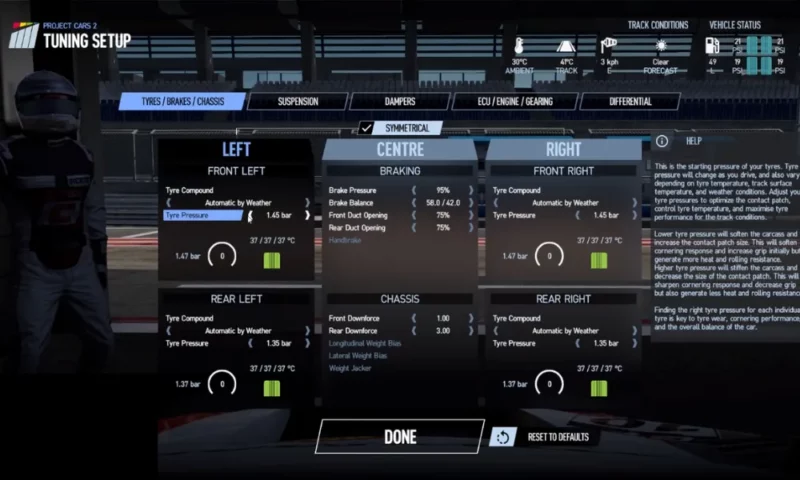
The Vehicle Record will appear in the Highlights, and you can press Start to load the race. When you follow these instructions, the quickest setup will download. Once the screen has loaded, you’ll see Installed GHOSTS. Click the Cog Wheel to the right, and you’ll get a message that reads, successfully loaded Ghost Car Setup.
Now that you’ve assigned the setup to your vehicle, you’ll have the option to select Edit Setup and make any necessary adjustments after pressing OK. It’s important to remember that it could not necessarily fit your driving style, so you might need to make more adjustments.
Fortunately, unlike Forza, these downloaded settings aren’t locked, so that you can make any alterations. This approach is one of the simplest methods to set up a base in the game, but it’s not the only one, so you can go on to another approach if you’re interested.
Even while I have had no problems with the downloading technique on the PC platform, some gamers have encountered difficulties downloading configurations on the PlayStation and Xbox consoles.
Project CARS 2 Controller Settings
After enjoying it on a controller, I can attest that the game is noticeably superior on a wheel. Nevertheless, I understand that not everyone’s budget allows for a wheel configuration, so I have offered the following controller project cars 2 setups ps4.
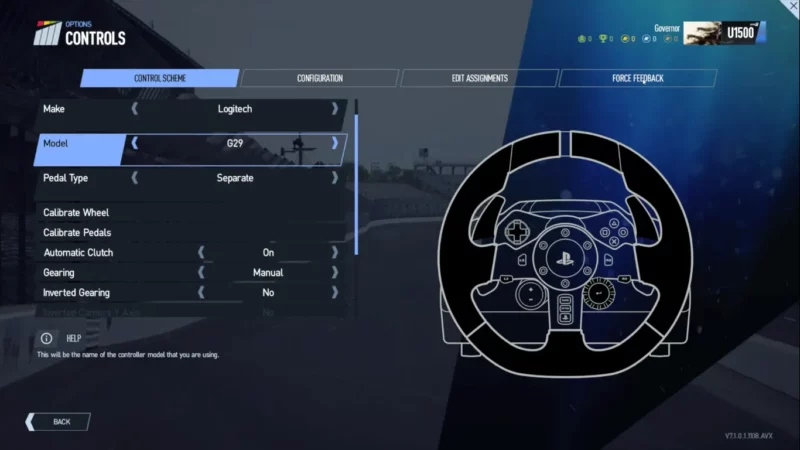
The following tweaks made the most of what the controller offers. But feel free to modify them to suit your needs even though the default settings are significantly better than the original Project CARS game:
- Dead zone for steering: 0
- Steering sensitivity: 45
- Deadzone for throttle: 0
- Throttle sensitivity: 20
- Deadzone for brakes: 0
- Brake sensitivity: 20
- Clutch deadzone: 10
- Clutch sensitivity: 25
- Sensitivity to speed: 95
- Controller damping: 75
- Controller vibration: 80 Hz
Project Cars 2 Setup Steering Wheel
I advise searching for your make and model for settings. Because there are many types of wheels on the market, if you have a Logitech G29, scroll down to see my suggested setup.
Over the years, I’ve adjusted these settings numerous times and discovered that they provide us with the finest FFB on road surfaces. As always, feel free to make changes until they seem comfortable for you. I recognize that they will only work for some.
Logitech G29 Wheel Settings for Project Cars 2
Once Project Cars have loaded, go to the home screen’s Options tab, then Controls, Configuration, and enter the following settings:
- Gain: 97 (Reduce this if necessary)
- Volumes: 38
- Tone: 35 (Lower this if required)
- FX: 45 (Lower this if required)
- Spring: 0.25
- Deadzone for Steering: 0
- Dampening: 0
- Sensitivity: 50
Project cars 2 setup Formula Rookie, Go-Karts, and Ginetta Juniors are Tier 6 choices. Let’s Set up the kart now.
Project CARS 2 Karts setup
Karts are undoubtedly among the trickiest vehicles in PC2 to control. Still, I believe this setup is incredibly well-balanced and offers just the correct amount of traction to permit oversteering without (too much) concern about spinning on the turns.
Can You Use the Project Cars 2 Setups Database?
Yes! The only drawback is that when a new patch is released, the cars are frequently changed, making all or nearly all your well-researched and assembled configurations useless, forcing you to start from scratch. It’s a real shame for individuals who invested the time to give setups and those who carefully searched for settings and eventually saved a lot of money.
Can You Modify Cars in Project Cars 2?
With Project CARS 2, you may design unique racing locations according to the specific date and weather conditions. Select Custom Race from the Quickplay menu in Race Central to customize a race event.
The car’s configuration may customize the skin to spending hours with bleeding knuckles on a real-world race car. However, PC players can also add mods to their game, enabling the use of external vehicles and liveries or skins.
Additionally, visual mods can apply to the game to make it appear even better than before. If you enjoy drifting, I strongly advise you to check out what the mod scene offers since the PC2 mod scene still lags what Assetto Corsa offers.
Is Project Cars 2 Difficult?
The fact that Project Cars 2 is a challenging racing simulator draws many players to the series. If you want to start competing on the track, there is a lot to learn because the game appeals to individuals who enjoy debating apexes and braking zones.
Can Project Cars 2 Be Used With VR?
Yes and no! Unfortunately, Project CARS 2 doesn’t support VR on PlayStation 4 or Xbox One platforms. However, Project CARS 2 offers a terrific VR experience for those playing the game on a PC platform.
Which is Better, Project Cars 3 Or 2?
If you’re seeking a simulation game where you may race in a comparable way to real racing, PC2 is the more serious game to pick. If you play video games more casually, PC3 is more enjoyable to play for an hour or so.
Are There F1 Cars in Project Cars 2?
An enthusiast of motorsports must have Project CARS 2. The excellent sequel from Slightly Mad Studios includes rallycross, GTs, touring cars, open-wheel F1 and Le Mans-style vehicles, and ludicrous 1000 horsepower supercars. In contrast to many racing games that concentrate on one discipline, such as a rally or Formula 1.

With a background in mechanical engineering and over a decade in competitive sim racing, Kenji serves as our lead Sim Racing Physics & Hardware Analyst. He deconstructs complex topics like force feedback and suspension geometry, helping readers understand the crucial engineering behind a perfect lap time. Kenji’s passion is to translate real-world motorsport principles into actionable knowledge for the sim racing community.