
A high-quality monitor is the cornerstone of any immersive simulation racing setup, serving as your window into the virtual track. The right display can be the difference between simply playing a game and truly feeling connected to the car and the road. With advancements in display technology, factors like screen size, resolution, and refresh rate are more critical than ever for achieving a competitive edge and maximum realism.
This guide provides a comprehensive overview of the essential features to consider when choosing a monitor for sim racing. We will analyze the most important technical specifications and examine a selection of monitors that have been popular choices in the sim racing community. Our goal is to equip you with the knowledge needed to make an informed decision that aligns with your specific setup and performance goals. For those building a new rig, understanding the financial aspect is also crucial, and you can explore more about what a complete how much does a sim racing setup cost entails.
At a Glance: Comparing the Top Sim Racing Monitors
This table offers a direct comparison of the key specifications for the monitors detailed in this guide. Note that some older models are now discontinued and have been updated with suggested modern alternatives that offer comparable or superior performance.
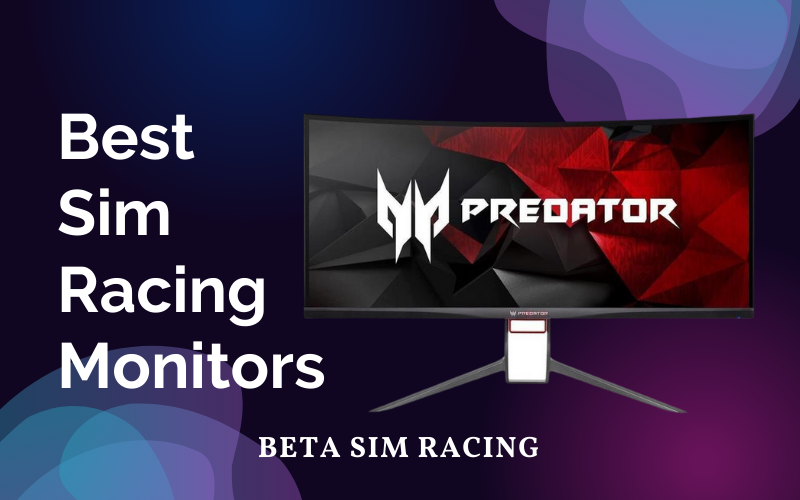
| Feature | AOC CU34G2X | LG 34GL750-B (Discontinued) | Samsung S34J550W (Discontinued) | Acer Predator X34 Pbmiphzx (Discontinued) | ASUS ROG Swift PG329Q |
| Screen Size | 34-inch | 34-inch | 34-inch | 34-inch | 32-inch |
| Resolution | 3440×1440 (UWQHD) | 2560×1080 (UWFHD) | 3440×1440 (UWQHD) | 3440×1440 (UWQHD) | 2560×1440 (QHD) |
| Panel Type | VA | IPS | VA | IPS | Fast IPS |
| Max Refresh Rate | 144Hz | 144Hz | 75Hz | 120Hz (Overclock) | 175Hz (Overclock) |
| Response Time | 1ms (MPRT) | 1ms (MBR) | 4ms (GTG) | 4ms (GTG) | 1ms (GTG) |
| Aspect Ratio | 21:9 | 21:9 | 21:9 | 21:9 | 16:9 |
| Curvature | 1500R | Yes | No (Flat) | 1900R | No (Flat) |
| Adaptive Sync | AMD FreeSync Premium | G-Sync Compatible | AMD FreeSync | NVIDIA G-Sync | G-Sync Compatible |
| HDR Support | No | HDR10 | No | No | DisplayHDR 600 |
| VESA Mount | 100x100mm | 100x100mm | 100x100mm | 100x100mm | 100x100mm |
| Suggested Alt. | N/A | LG 34GP63A-B | Samsung Odyssey G5 (C34G55T) | Acer Predator X34 V | N/A |
Key Considerations for Selecting the Ideal Sim Racing Monitor
Navigating the market for sim racing monitors requires an understanding of several core technical concepts. Each feature plays a distinct role in shaping your virtual racing experience.
Screen Size and Aspect Ratio: Defining Your View
For sim racing, a wider field of view (FOV) is paramount. It enhances immersion and provides critical situational awareness, allowing you to see opponents alongside you and anticipate corners more effectively. This is why ultrawide monitors (21:9 aspect ratio) have become a popular choice. A larger screen, such as a 34-inch ultrawide, can offer a significant advantage over a standard 16:9 display. When deciding, it’s worth comparing an ultrawide vs regular monitor to see which best fits your space and budget.
Resolution: The Key to Clarity
Resolution determines the sharpness and detail of the image. A higher pixel count results in a crisper picture, making it easier to spot braking points and details on the track.
- 1080p (Full HD): The baseline for gaming, but can appear pixelated on larger screens.
- 1440p (QHD/UWQHD): Considered the sweet spot for many sim racers, offering a significant visual upgrade from 1080p without the demanding hardware requirements of 4K.
- 4K (UHD): Provides the highest level of detail but requires a powerful graphics card to maintain high frame rates, a critical factor given that your monitor can affect FPS.
Refresh Rate: For Smooth, Fluid Motion
Measured in Hertz (Hz), the refresh rate indicates how many times per second the display updates the image. For fast-paced genres like sim racing, a higher refresh rate is essential for smooth motion. A 144Hz monitor is a highly recommended target, as it delivers a noticeably more fluid experience than older 60Hz or 75Hz panels, reducing motion blur and improving reaction time.
Response Time: Eliminating Motion Blur
Response time measures how quickly a pixel can change from one color to another. A fast response time, typically 1ms to 4ms, is crucial for minimizing ghosting and motion blur, ensuring that on-screen action remains sharp and clear, even at high speeds. Learning about features like what is overdrive on a monitor can provide further insight into how manufacturers achieve lower response times.
Panel Type: IPS vs. VA vs. OLED
The underlying panel technology dictates a monitor’s characteristics regarding color, contrast, and viewing angles.
- IPS (In-Plane Switching): Known for superior color accuracy and wide viewing angles. Modern “Fast IPS” panels offer excellent response times, making them a great all-around choice.
- VA (Vertical Alignment): Offers the best contrast ratios, resulting in deep, rich blacks. This can enhance immersion in races with varying light conditions. However, they can sometimes exhibit slower response times than IPS panels.
- OLED (Organic Light Emitting Diode): The premium option, offering per-pixel lighting for perfect blacks, infinite contrast, and instantaneous response times. While excellent for immersion, they are the most expensive and can be susceptible to burn-in with static UI elements found in many racing sims.
Curved vs. Flat Displays
Curved monitors are designed to match the natural curvature of the human eye, aiming to provide a more immersive experience by filling your peripheral vision. A curvature rating like 1500R or 1800R indicates the radius of the curve in millimeters. For single-monitor ultrawide setups, a curve can significantly enhance the sense of being in the cockpit.
In-Depth Analysis of Leading Sim Racing Monitors
Here we examine the specific models listed in the original content, providing updated, fact-based analysis and noting where models have been discontinued.
AOC CU34G2X
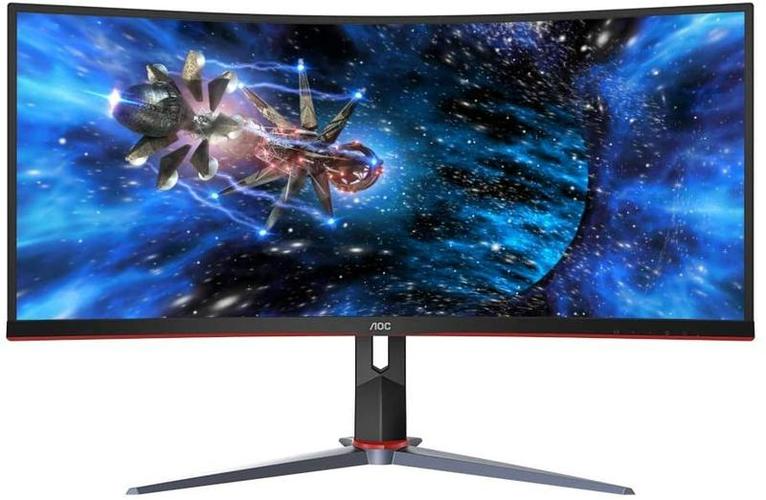
The AOC CU34G2X remains a relevant and popular choice for sim racers seeking a high-value ultrawide monitor. Its combination of a 34-inch 3440×1440 (UWQHD) resolution and a 144Hz refresh rate hits the sweet spot for immersive, smooth gameplay without requiring top-of-the-line hardware. The 1500R curvature aids in drawing the user into the experience, while the VA panel ensures a strong contrast ratio for deep blacks. With a 1ms (MPRT) response time and FreeSync Premium support, it’s well-equipped to handle the demands of fast-paced racing titles.
Key Takeaway: The AOC CU34G2X is an excellent entry point into ultrawide sim racing, offering a well-rounded feature set for its price point. It is best suited for racers who want an immersive single-screen setup without a flagship-level investment.
LG 34GL750-B
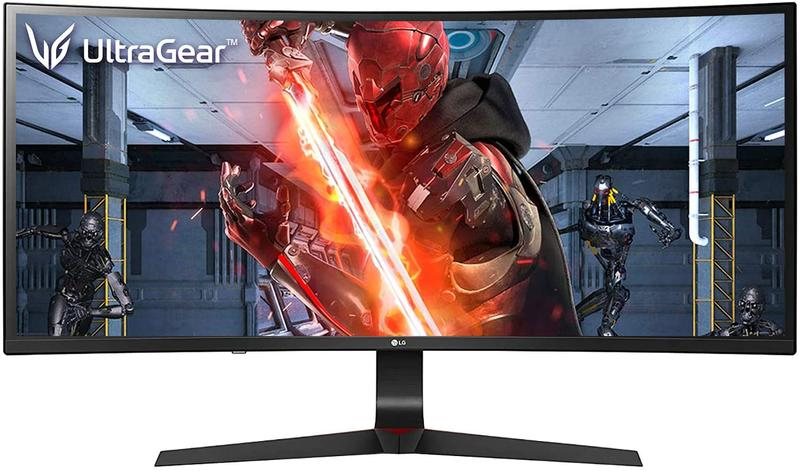
This product is discontinued. The LG 34GL750-B was an ultrawide monitor known for its IPS panel and 144Hz refresh rate. However, its lower 2560×1080 resolution was less than ideal for a 34-inch screen, resulting in a lower pixel density and less sharp image compared to 1440p alternatives.
- Suggested Current Alternative: LG 34GP63A-B This modern alternative offers a significant upgrade with a 3440×1440 (UWQHD) resolution for much greater clarity. It features a 160Hz refresh rate on a VA panel, providing smooth motion and excellent contrast, making it a much more suitable choice for today’s sim racing standards.
Samsung S34J550W
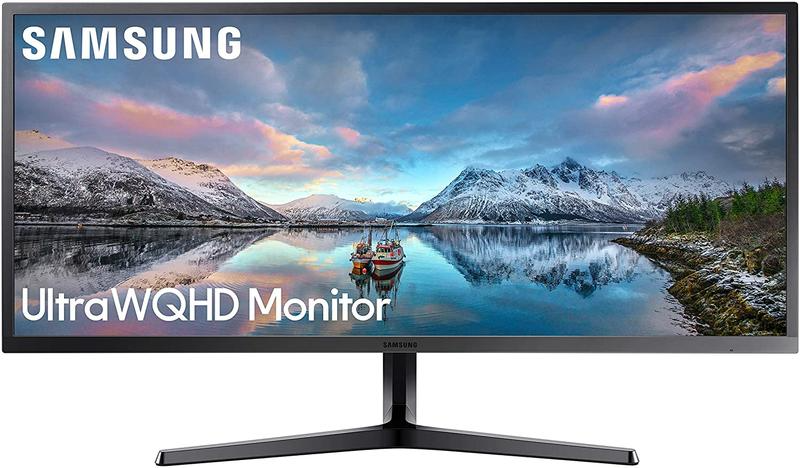
This product is discontinued. The Samsung S34J550W was a budget-oriented 34-inch flat ultrawide monitor. Its main limitations for serious sim racing were its 75Hz refresh rate and 4ms response time. While its 3440×1440 resolution offered good screen real estate, the lower refresh rate does not provide the fluid motion desired for competitive racing.
- Suggested Current Alternative: Samsung Odyssey G5 (C34G55T) The Odyssey G5 is a far superior option for sim racing. It boasts a high-performance 165Hz refresh rate, a 1ms response time, and a deep 1000R curvature for enhanced immersion. It maintains the 3440×1440 resolution, delivering both sharp visuals and the fluid performance lacking in the older SJ55W.
Acer Predator X34 Pbmiphzx
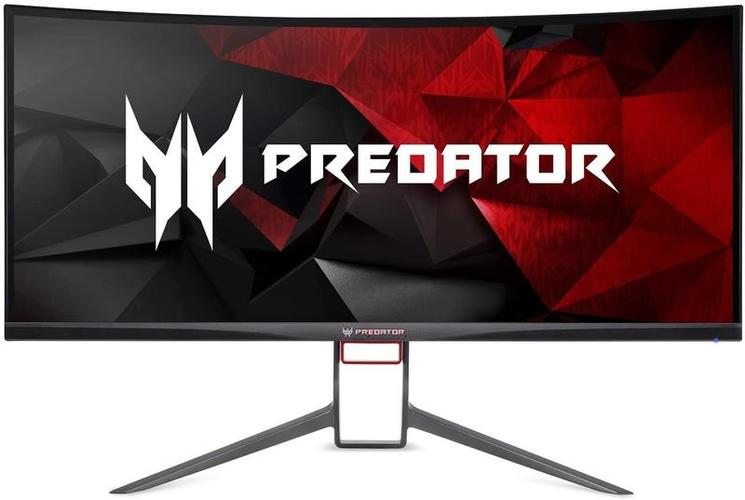
This product is discontinued. The Acer Predator X34 Pbmiphzx was a premium gaming monitor in its time, featuring a 3440×1440 IPS panel with G-Sync and an overclockable refresh rate up to 100Hz (later models reached 120Hz). It was a foundational product in the premium ultrawide space.
- Suggested Current Alternative: Acer Predator X34 V The “V” model represents a significant evolution, moving to a cutting-edge OLED panel. This provides vastly superior contrast and a near-instantaneous 0.1ms response time. It also features a higher 175Hz refresh rate and AMD FreeSync Premium. The Predator X34 V is a top-tier choice for racers who prioritize visual fidelity and response above all else.
ASUS ROG Swift PG329Q
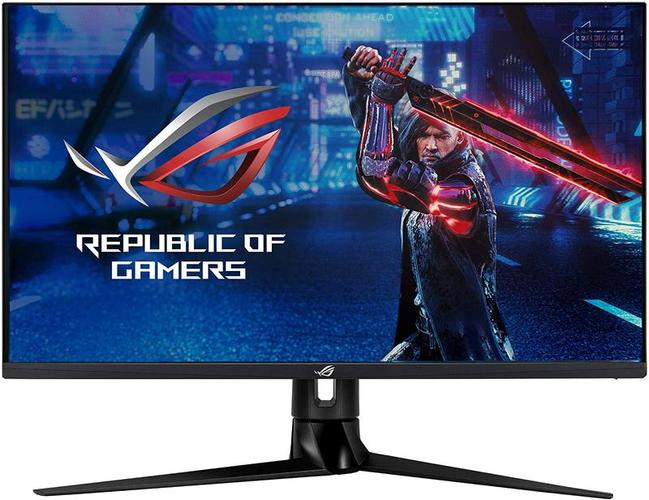
The ASUS ROG Swift PG329Q is a high-performance monitor that opts for a traditional 16:9 aspect ratio instead of an ultrawide format. This 32-inch display is ideal for racers who may not have the space for an ultrawide or who prefer a triple-monitor setup. Its key strengths are a fast 2560×1440 (QHD) resolution paired with a very high 175Hz overclockable refresh rate. The Fast IPS panel ensures a 1ms (GTG) response time and excellent color reproduction. Its DisplayHDR 600 certification also provides a superior dynamic range for more realistic lighting in-game, a feature often missing on older models.
Key Takeaway: The PG329Q is an excellent choice for sim racers who prioritize refresh rate and response time in a standard aspect ratio. It’s a fantastic foundation for a high-end single monitor or a multi-monitor setup.
Frequently Asked Questions (FAQ)
What is the best type of monitor for sim racing?
The best type often comes down to personal preference and budget. Ultrawide (21:9) curved monitors are a very popular single-display solution due to the immersive field of view. Alternatively, a triple-monitor setup using three identical 16:9 monitors offers the most expansive peripheral vision. For performance, a monitor with a high refresh rate (144Hz+), low response time (1-4ms), and at least a 1440p resolution is ideal.
Are curved monitors better for sim racing?
For a single-monitor setup, a curved screen can significantly enhance immersion. The curve helps fill your peripheral vision and can reduce distortion at the edges of an ultrawide screen, making it feel more like you are sitting in a real cockpit. For triple-monitor setups, flat screens are generally preferred for easier alignment.
What refresh rate is sufficient for sim racing?
While 60Hz is the absolute minimum, 144Hz is widely considered the sweet spot for a smooth and responsive sim racing experience. The higher refresh rate reduces motion blur and allows for quicker reactions to on-track events. Competitive racers may even opt for 165Hz or higher.
Does an ultrawide monitor give an advantage in sim racing?
Yes, an ultrawide monitor provides a significant advantage by increasing your horizontal Field of View (FOV). This allows you to see more of the track, spot apexes earlier, and be more aware of opponents beside you, which is critical for wheel-to-wheel racing.
Should I choose a 1440p or 4K monitor for sim racing?
For most users, a 1440p monitor offers the best balance. It provides a sharp, detailed image without being as graphically demanding as 4K. This allows most mid-to-high-end PCs to maintain the high frame rates necessary for a smooth experience. A 4K monitor offers superior visual fidelity but requires a very powerful and expensive PC to run effectively at high settings, making it a choice for those with a high-end sim racing setup.

With a background in mechanical engineering and over a decade in competitive sim racing, Kenji serves as our lead Sim Racing Physics & Hardware Analyst. He deconstructs complex topics like force feedback and suspension geometry, helping readers understand the crucial engineering behind a perfect lap time. Kenji’s passion is to translate real-world motorsport principles into actionable knowledge for the sim racing community.