
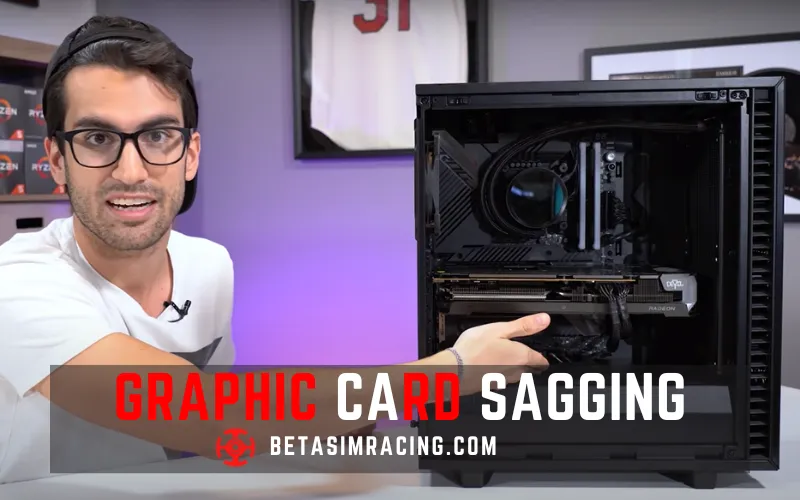
The GPU sag is a common issue for computer users when using a heavy or larger graphic card for a case bracket or PCB to support it. The card slot supports it with the screws to secure it to the chassis backplate properly.
The weight on the top rear corner of the card can make the card sag, putting pressure on the PCIe slot, which might cause damage or performance issues. Therefore, it is essential to take action and fix the issue before it becomes a bigger problem.
What is Graphic Card Sagging?
The graphic card sagging is for some reason, like if you are using a heavier or big graphic card that must have more weight than a standard card. It needs some extra effort to fix it wisely. Otherwise, it may cause damage to the graphics card or the PCI-e slot. It can also decrease performance due to reduced airflow and increased temperature. It can also negatively impact the aesthetic appearance of a building.
How Much GPU Sag is too Much?
The GPUs are large objects despite their size. The GPUs are unlikely to cause damage to other devices. As a result, a loss of signal or even permanent damage to the hardware. Additionally, GPU sag can cause stress on the PCIe slot, leading to a shorter lifespan or other issues with your computer.
The GPU sag is more common with heavier graphics cards, such as high-end gaming GPUs, and can also be influenced by the computer case’s orientation and the PCIe slot’s position.
How to Fix Graphic Card Sag?
There are a few solutions you can use to fix the GPU sag.

- Case Bracket: Suppose your CPU case supports an optional PCI bracket for installing graphics cards on the top side. A PCI extension cable supports you to avoid GPU sag. Do not overload the bracket because that will start to flex again.
- Bracket Plate: Use a backplate: Many graphics cards come with a backplate that can help distribute the weight of the card more evenly. If your card doesn’t have a backplate, you can buy one separately or make one using a piece of acrylic or metal.
- Adjust the Case: While turning it off, open the computer case. Check the position of the graphics card. If it is sagging, try adjusting the position of the case. If your computer case is standing vertically, then try laying it horizontally. This can help you redistribute the weight of the graphics card and reduce GPU sag. If the sag is still present, adjust the PCIe slot’s position.
You can gently push the slot upward to provide more support to the graphics card. Once you have adjusted the case and PCIe slot, you must check the position of the graphics card again. If it is still sagging, use a support bracket or a backplate.
Graphic Processing Unit Sag Bracket
GPU sag brackets are a popular solution to fix GPU sag. The GPU Sag brackets are designed to provide additional support to graphic cards and reduce the weight on the PCIe slot. There are various types of GPU support brackets available on the market.
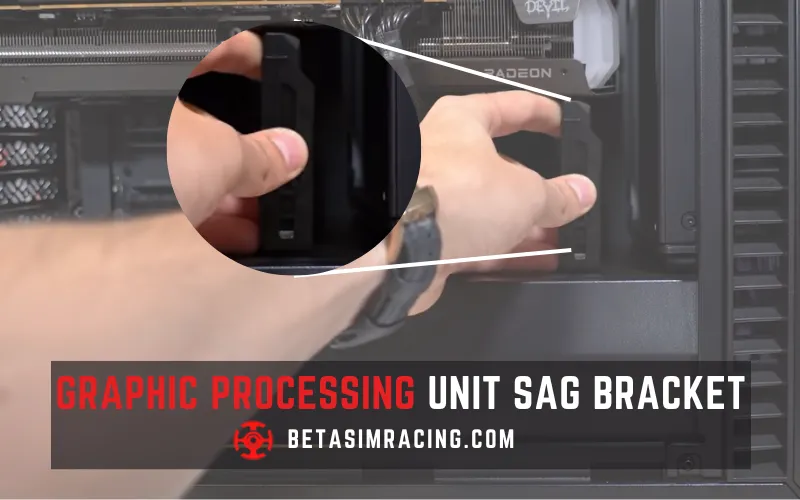
These brackets can be purchased, or 3D printed and come in various shapes and sizes to fit different graphics cards and cases. Some of them include LED lighting to add visual appeal to your computer build. Some are made of simple metal brackets, to more complex brackets with adjustable supports.
These brackets are simple and easy to install via screws and positioning support arms underneath the graphic cards. These effective brackets are specially designed for heavy graphic cards. This will help protect your hardware and give your build a more professional and polished look.
Does GPU Sagging Matter?
GPU sag may not seem like a big deal, but it can cause problems if left unchecked. GPU sag can affect the performance of your computer and cause damage to the motherboard or other components.
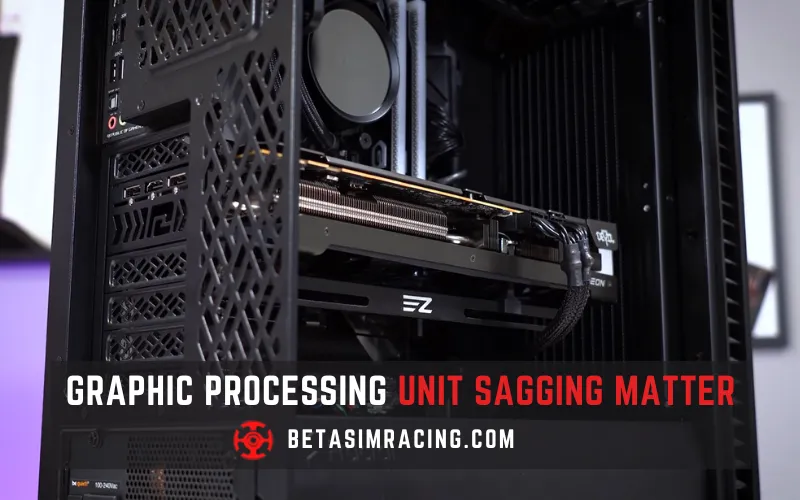
Preventing GPU sag is crucial for maintaining optimal performance and avoiding potential issues. A small amount of sag is normal, but severe sag can indicate a problem with the PCIe slot or the case’s support for the graphics card.
Is GPU Sagging Normal?
Yes, GPU sag is common and can affect even brand-new cards, especially heavier graphics cards that use large cooling solutions. It’s normal for the weight of the graphics card to pull down on the PCIe slot and cause some degree of sag even, which can damage the slot or the graphics card over time.
Can GPU Sag Cause Crashes?
GPU sag can cause crashes in a computer system. Severe GPU sag can cause the graphics card to disconnect from the PCIe slot, crash, or other issues. Additionally, the stress on the motherboard and other components may be damage that affects the performance or causes crashes.
Do vertical GPU mounts sag?
Vertical GPU mounts can sag, especially if the GPU is heavy or poorly supported. Choosing a high-quality, sturdy mount and ensuring proper GPU support is crucial to prevent sagging and associated issues.
What are the signs of GPU failure?
Signs of GPU failure may include graphical artifacts or glitches, screen tearing, black screens or blue screens of death (BSOD), overheating and abnormal fan noise, or complete system crashes.
How do you check if the GPU is OK?
You can use diagnostic tools such as GPU-Z or MSI Afterburner to monitor temperature, clock speeds, and other performance metrics. You can also run stress tests to check stability and performance under load.
Is Graphic Card Sag Bad?
GPU sag is not necessarily bad, but it can lead to issues with performance and damage to the motherboard or other components. In extreme cases, the PCIe slot may break, rendering the motherboard unusable.
GPU sag is a common issue affecting many PC enthusiasts, and it can lead to problems if not addressed properly. While it may not impact performance significantly, it can cause strain on the PCIe slot and even lead to crashes.
Therefore, preventing GPU sag using a support bracket is crucial for maintaining optimal performance and avoiding potential damage to your hardware. Whether you are a casual gamer or a professional, paying attention to GPU sag and taking steps to prevent it is essential. By doing so, you can ensure the longevity and stability of your PC setup and enjoy smooth, uninterrupted gameplay for years to come.
Conclusion

With over a decade of hands-on experience in troubleshooting PC hardware and gaming software, Stanley Kessler is our go-to expert for solving complex technical problems. He creates clear, step-by-step guides that help gamers navigate everything from motherboard BIOS issues to in-game bugs. Stanley’s passion is empowering readers to fix their own tech problems and get back to gaming faster.