
In the world of modern tech, minimalism is a key goal. The pursuit of a sleek, uninterrupted visual experience has led to significant advancements in display technology, particularly in reducing the intrusive frames known as bezels. While no monitor is truly “bezel-free,” modern designs feature incredibly thin borders that maximize screen real estate and enhance immersion.
These minimal-bezel monitors are especially beneficial for users creating multi-display workstations for programming, video editing, or expansive sim racing setups. The ultra-thin frames minimize the distracting gaps between screens, creating a more cohesive and continuous canvas. This guide provides a purely informational, in-depth look at some of the most noteworthy minimal-bezel monitors, focusing on their specifications and features to help you understand your options.
Understanding the Appeal of Minimal Bezel Monitors
A “bezel-free” or “borderless” monitor refers to a design where the inactive black border around the screen is reduced to just a few millimeters. This engineering feat offers several distinct advantages:
- Enhanced Immersion: Thinner bezels make the display’s content the primary focus, whether you’re playing sim racing games or working on detailed design projects.
- Superior Multi-Monitor Setups: When placing two or three monitors side-by-side, minimal bezels create a nearly seamless panoramic view. This is a significant improvement for productivity and is why many users seek out a quality dual monitor stand.
- Increased Screen-to-Body Ratio: You get more usable screen area without increasing the monitor’s overall physical footprint, which is ideal for maintaining a clean and efficient workspace.
- Modern Aesthetics: Let’s be honest—they look clean, sophisticated, and futuristic on any desk.
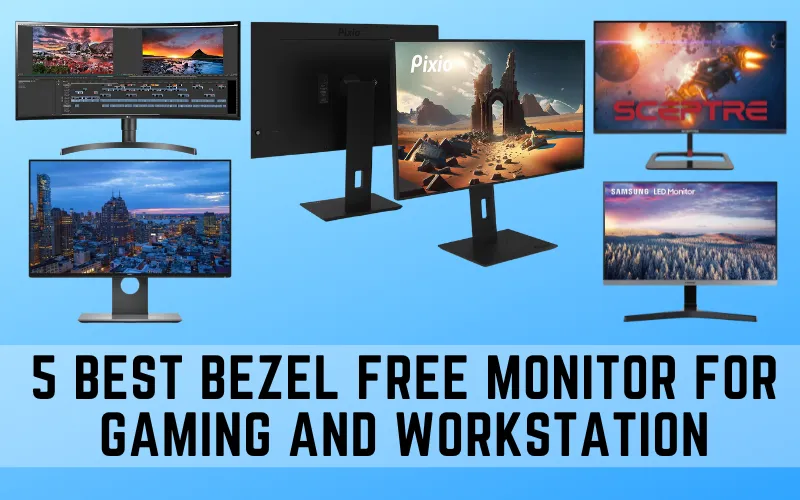
2025’s Top Minimal Bezel Monitors: A Detailed Comparison
This table offers a side-by-side look at the key specifications for the current versions of the selected monitors. Note that several original models have been superseded by newer, more capable alternatives, which are featured here.
| Feature | Pixio PX278 Wave | LG 34WQ75C-B | Samsung ViewFinity S50GC | Dell UltraSharp U2424H | Sceptre E275B-QPN168 |
| Screen Size | 27 Inches | 34 Inches (Ultrawide) | 24 Inches | 23.8 Inches | 27 Inches |
| Resolution | 2560 x 1440 (QHD) | 3440 x 1440 (UWQHD) | 1920 x 1080 (FHD) | 1920 x 1080 (FHD) | 2560 x 1440 (QHD) |
| Panel Type | Fast IPS | Nano IPS | IPS | IPS Black | IPS |
| Max Refresh Rate | 180Hz | 60Hz | 100Hz | 120Hz | 144Hz |
| Response Time | 1ms (GtG) | 5ms (GtG) | 5ms (GtG) | 5ms (GtG – Fast) | 1ms (MPRT) |
| Peak Brightness | 400 nits (SDR) | 350 nits | 250 nits | 250 nits | 350 nits (SDR) |
| Color Gamut | 98% DCI-P3 | 99% sRGB | 99% sRGB | 98% DCI-P3, 100% sRGB | 99% sRGB |
| Key Ports | 2x HDMI 2.0, 1x DP 1.4 | 1x HDMI, 1x DP, USB-C (90W PD) | 1x HDMI 1.4, 1x DP 1.2 | 1x HDMI, 1x DP 1.4, DP Out, USB-C Hub | 2x HDMI 2.0, 2x DP 1.4 |
| VESA Mountable | 100x100mm | 100x100mm | 100x100mm | 100x100mm | 100x100mm |
| Adaptive Sync | FreeSync Premium, G-Sync Compatible | AMD FreeSync | AMD FreeSync | Yes | AMD FreeSync |
| Stand Adjustability | Tilt, Swivel, Height, Pivot | Tilt, Height | Tilt | Tilt, Swivel, Height, Pivot | Tilt |
| Bezel Design | 3-Side “Bezel-Less” | 3-Side “Bezel-Less” | 3-Side “Bezel-Less” | 4-Side “InfinityEdge” | 3-Side “Bezel-Less” |
In-Depth Analysis of the Top 5 Bezel-Free Monitors
Here we break down the features and performance of each monitor, providing objective analysis for different use cases.
1. Pixio PX275C Prime (Superseded by Pixio PX278 Wave)
The Pixio PX275C Prime was a popular budget-friendly gaming monitor. However, it has since been replaced by more advanced models. The Pixio PX278 Wave stands as a current and compelling alternative, offering significant upgrades in performance.
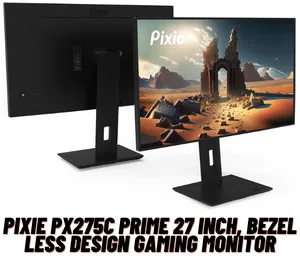
Current Model: Pixio PX278 Wave Key Specifications
- Panel: 27-inch 2560 x 1440 Fast IPS
- Refresh Rate: 180Hz
- Response Time: 1ms (GtG)
- Color: 98% DCI-P3, HDR400
- Connectivity: 2x HDMI 2.0, 1x DisplayPort 1.4, Audio Out
Design and User Experience
The PX278 Wave features a functional, 3-sided minimal bezel design that is well-suited for dual-monitor configurations. Its stand is highly ergonomic, offering full tilt, swivel, height, and pivot adjustments, allowing users to easily switch between landscape and portrait orientations. This versatility is a major asset for both gaming and productivity tasks like coding or reading documents.
Performance for Productivity and Gaming
With a 180Hz refresh rate and a 1ms GtG response time, the PX278 Wave is built for competitive gaming. Motion is exceptionally smooth, and input lag is minimal, providing a clear advantage in fast-paced titles. The QHD resolution on a 27-inch screen strikes an excellent balance between visual sharpness and performance demands, making it a good pairing for mid-range to high-end GPUs like the NVIDIA GeForce RTX 40-series. The wide color gamut also makes it a viable option for amateur content creators who need vibrant and accurate colors.
2. LG 34WN80C-B (Superseded by LG 34WQ75C-B)
The LG 34WN80C-B was a well-regarded ultrawide monitor focused on productivity. It has been succeeded by newer models, with the LG 34WQ75C-B serving as its modern equivalent, offering improved connectivity and features.
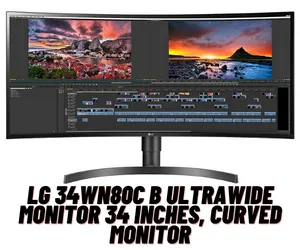
Current Model: LG 34WQ75C-B Key Specifications
- Panel: 34-inch 3440 x 1440 Curved Nano IPS
- Refresh Rate: 60Hz
- Response Time: 5ms (GtG)
- Color: 99% sRGB, HDR10
- Connectivity: 1x HDMI, 1x DisplayPort 1.4, USB-C (with 90W Power Delivery), 2x USB-A
Design and User Experience
The 34WQ75C-B continues the tradition of a clean, professional aesthetic with a 3-sided “borderless” curved screen that enhances immersion. The gentle curve helps keep the edges of the large screen within the user’s peripheral vision. The standout feature is its USB-C port, which delivers 90W of power, allowing users to connect and charge a laptop with a single cable, creating a clutter-free desk. The debate between an ultrawide vs. regular monitor often comes down to this seamless, wide-screen workflow.
Ultrawide Performance and Productivity
This monitor is a multitasking powerhouse. The 21:9 aspect ratio provides ample horizontal space to view multiple documents side-by-side without needing a second screen. While its 60Hz refresh rate is not ideal for high-end gaming, it is perfectly sufficient for productivity, web Browse, and content creation. The IPS panel ensures excellent color accuracy and wide viewing angles, making it a solid choice for creative professionals who work within the sRGB color space.
3. Samsung 24″ FHD Monitor (Modern Alternative: Samsung ViewFinity S50GC)
The original prompt mentioned a generic “SAMSUNG 24″ FHD Monitor.” A modern and specific model that fits this description and is current for the Samsung 24″ ViewFinity S5 (S50GC). It embodies the core features of a work-focused, bezel-less display.
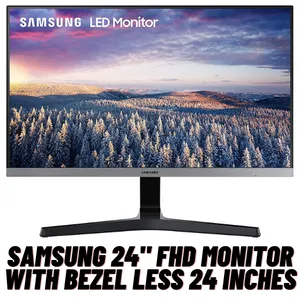
Current Model: Samsung 24″ ViewFinity S5 (S50GC) Key Specifications
- Panel: 24-inch 1920 x 1080 IPS
- Refresh Rate: 100Hz
- Response Time: 5ms (GtG)
- Color: 99% sRGB
- Connectivity: 1x HDMI 1.4, 1x DisplayPort 1.2
Design and User Experience
The S50GC sports a clean and minimalist 3-sided bezel-less design, making it an excellent candidate for entry-level dual-monitor setups in a corporate or home office environment. It includes Eye Saver Mode and Flicker-Free technology to reduce eye strain during long work sessions. While the stand is tilt-only, its 100x100mm VESA compatibility allows for mounting on more ergonomic monitor arms.
Performance and Visual Quality
With a 100Hz refresh rate, the S50GC offers a noticeably smoother experience for general use compared to standard 60Hz or 75Hz office monitors. This makes scrolling through documents and web pages more fluid. The IPS panel delivers consistent colors and wide viewing angles. AMD FreeSync support also ensures tear-free casual gaming, though its primary function is as a high-value productivity monitor.
4. Dell UltraSharp U2417H (Superseded by Dell UltraSharp U2424H)
The Dell UltraSharp U2417H was a benchmark for office and creative monitors, known for its thin bezels and color accuracy. It has long been discontinued. Its direct, modern descendant for the Dell UltraSharp U2424H, which introduces cutting-edge panel technology.
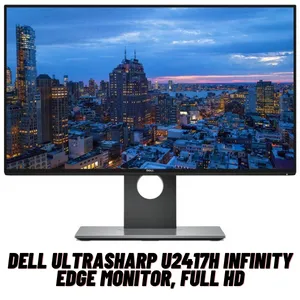
Current Model: Dell UltraSharp U2424H Key Specifications
- Panel: 23.8-inch 1920 x 1080 IPS Black
- Refresh Rate: 120Hz
- Response Time: 5ms (GtG – Fast)
- Color: 98% DCI-P3, 100% sRGB, 100% BT.709
- Connectivity: 1x HDMI, 1x DP 1.4, DP Out (for daisy-chaining), USB-C Hub (15W PD)
Design and User Experience
The U2424H features Dell’s signature InfinityEdge design, with ultra-thin bezels on all four sides, making it one of the best options on the market for creating a virtually seamless multi-monitor wall. The stand is fully adjustable (height, tilt, swivel, pivot), and its connectivity is robust, including a DisplayPort-out for daisy-chaining a second monitor directly, reducing cable clutter.
Color Accuracy and Professional Performance
The introduction of IPS Black technology provides a 2000:1 contrast ratio, double that of traditional IPS panels. This results in significantly deeper blacks and more vibrant colors, making it an exceptional monitor for anyone who needs a color-accurate monitor. Combined with a 120Hz refresh rate and outstanding color coverage (98% DCI-P3), the U2424H is a top-tier choice for graphic designers, photographers, and video editors who need professional-grade performance without stepping up to a 4K display.
5. Sceptre E275B-QPN168
Unlike the other monitors on this list, the Sceptre E275B-QPN168 is a model that remains available and relevant, offering a compelling blend of gaming features at a budget-friendly price point.
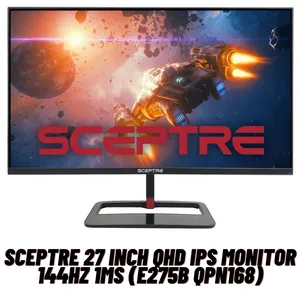
Sceptre E275B-QPN168 Key Specifications
- Panel: 27-inch 2560 x 1440 QHD IPS
- Refresh Rate: 144Hz
- Response Time: 1ms (MPRT)
- Color: 99% sRGB
- Connectivity: 2x HDMI 2.0, 2x DisplayPort 1.4
Design and User Experience
The monitor has a standard 3-sided thin-bezel frame, suitable for multi-monitor gaming setups. One of its more unique visual features is the red LED lighting on the back, adding a bit of gaming flair. However, the stand is a point of compromise, offering only tilt adjustment. Users wanting better ergonomics will need to utilize the 100x100mm VESA mount.
Gaming-Centric Performance
The Sceptre E275B-QPN168 is squarely aimed at gamers. The 144Hz refresh rate and 1ms MPRT (Moving Picture Response Time) work together to deliver smooth, clear visuals in fast-moving games. The QHD resolution provides a sharp, detailed picture that enhances the gaming experience in visually rich titles. Having four display inputs (two HDMI, two DisplayPort) is a generous offering that allows for easy connection to multiple consoles and a PC simultaneously.
Key Factors to Consider When Choosing a Monitor
Selecting the right monitor involves understanding how its core specifications align with your primary use case, whether that’s gaming, professional creative work, or general office tasks.
Panel Type: IPS vs. VA vs. OLED
- IPS (In-Plane Switching): The most common type in this list. Known for superior color accuracy and wide viewing angles. Modern “Fast IPS” panels have greatly improved response times, making them excellent for both gaming and professional work. “IPS Black” is a newer variant with a much higher contrast ratio.
- VA (Vertical Alignment): Offers the best contrast ratios outside of OLED, resulting in deep, inky blacks. They are great for watching movies or playing in dark rooms but can sometimes have slower response times than IPS panels.
- OLED (Organic Light Emitting Diode): Provides “perfect” blacks, an infinite contrast ratio, and instantaneous response times. However, OLED monitors are expensive and can be susceptible to burn-in over time.
Resolution: 1080p, 1440p, or 4K?
- 1080p (Full HD): The standard for budget and base-model monitors. It is perfectly adequate for screens up to 24 inches and is less demanding on your graphics card.
- 1440p (QHD): Considered the sweet spot for gaming on 27-inch monitors. It offers a significant step up in sharpness from 1080p without the massive performance cost of 4K.
- 4K (UHD): Delivers incredible sharpness and detail, ideal for large screens (27 inches and above) and professional content creation. However, running games at 4K requires a powerful and expensive GPU.
Refresh Rate and Response Time
- Refresh Rate (Hz): The number of times your monitor updates the image per second. A standard monitor is 60Hz, while gaming monitors typically start at 120Hz or 144Hz and go much higher. A higher refresh rate results in smoother motion.
- Response Time (ms): How quickly a pixel can change color. A lower response time (e.g., 1ms) reduces motion blur and ghosting, which is crucial for fast-paced gaming.
Connectivity
Ensure the monitor has the ports you need. HDMI and DisplayPort are standard for video. USB-C is a highly valuable addition, as it can often handle video, data, and power delivery over a single cable, which is perfect for laptop users. A built-in USB hub is also a convenient feature for connecting peripherals like a keyboard or mouse. Understanding what USB headers are on your motherboard can help you plan your complete setup.
Frequently Asked Questions (FAQ)
What does a “3-sided bezel-less” design mean?
A 3-sided bezel-less design means the top, left, and right bezels are ultra-thin. The bottom bezel is typically thicker to house the monitor’s internal components and controls. A 4-sided design, like on the Dell U2424H, also minimizes the bottom bezel for the most seamless look.
Are bezel-free monitors better for gaming?
Minimal bezels enhance immersion by making the game world feel more expansive. This is particularly true in multi-monitor setups, common in simulation genres like Microsoft Flight Simulator or iRacing, where a panoramic view is advantageous. While the bezel itself doesn’t impact performance, the high-end features often found on these monitors (high refresh rate, low response time) are what make them great for gaming.
How can you create a seamless multi-monitor setup?
To create the most seamless setup, choose monitors with the thinnest possible bezels on at least three sides. Use a high-quality multi-monitor stand or wall mount, like a best triple monitor wall mount, to align them perfectly. Calibrating the color and brightness to be consistent across all screens will also create a more cohesive single image.
Can you completely hide monitor bezels?
While you cannot physically remove bezels, specialized kits are available that use lenses and light refraction to optically obscure the gaps between monitors. These are primarily marketed to sim racers and flight simulator enthusiasts who demand the highest level of immersion.
Do monitors affect gaming FPS?
A monitor itself does not generate frames; that is the job of your GPU. Therefore, a monitor cannot increase your FPS. However, the monitor’s resolution and refresh rate determine how those frames are displayed. A high-refresh-rate monitor can display more frames per second, leading to a smoother visual experience, but only if your CPU and GPU are powerful enough to produce a high frame rate at the monitor’s native resolution.

With 15 years of experience as a PC hardware technician, Ben brings a practical, hands-on approach to our PC Components section. He specializes in real-world testing and longevity analysis, explaining how components perform over time. His guides help readers understand the practical side of owning and maintaining a gaming PC.