
If you’re unsure of what PS5 single use restricted meaning? If your order cancels, a vendor will provide you a single-use private buy link to buy the PS5 thanks to this Single-use Restricted feature. This strategy used to deter bot activity or slow down bulk purchases, can help real customers, and fortify their defenses against such bots.
The only method to get the next-generation video game system as of right now is online. It is not available on store shelves. This article will explain What means Single Use Restricted PS5.
Why Does Any Vender Use Restricted Single Use PS5?
They want a real customer to be able to purchase a PlayStation5. Since Walmart or any vender began its PS5 sales, bots used by resellers have purchased every PS5, giving users little to no chance before even pressing the purchase button.
It prevents the reseller from buying many PlayStation 5 consoles at once from Walmart using bots and, instead of giving them the entire stock, only selling them a portion of it.

Playing Guide: Open World Racing Games For PS 5
Customers have a strong opportunity to buy at least one Single Use Restricted PS5 per household. Because of the PS5’s strong demand, the pricing will differ from its suggested retail price. So, the vendor will provide you personal links to buy just one PS5 console.
Are Single Use Restricted PS5 and Regular PS5 Different from One Another?
No, the Single Use Restricted PS5 digital is not unique from other regular PlayStation 5s; everything remains the same. Anything doesn’t make it different just because it includes the name tag Single Use Restricted PS5 on the buying page.
Ultimate Guide: PS6 Release Date
How Do I Get Rid of Communication Restrictions on PS5?
Here are some of the easiest and most efficient ways to get rid of communication limits on the PS5:
1) Close The Game and Start It Again
Some of the more well-known PlayStation 5 titles where customers have encountered the communication restriction issue include Apex, Apex Legends, Destiny 2, WWE 2k22, and NBA 2k22. You notice the popup “You’re forbidden from utilizing communication features” on your PS5 once you start playing these games or launch them.
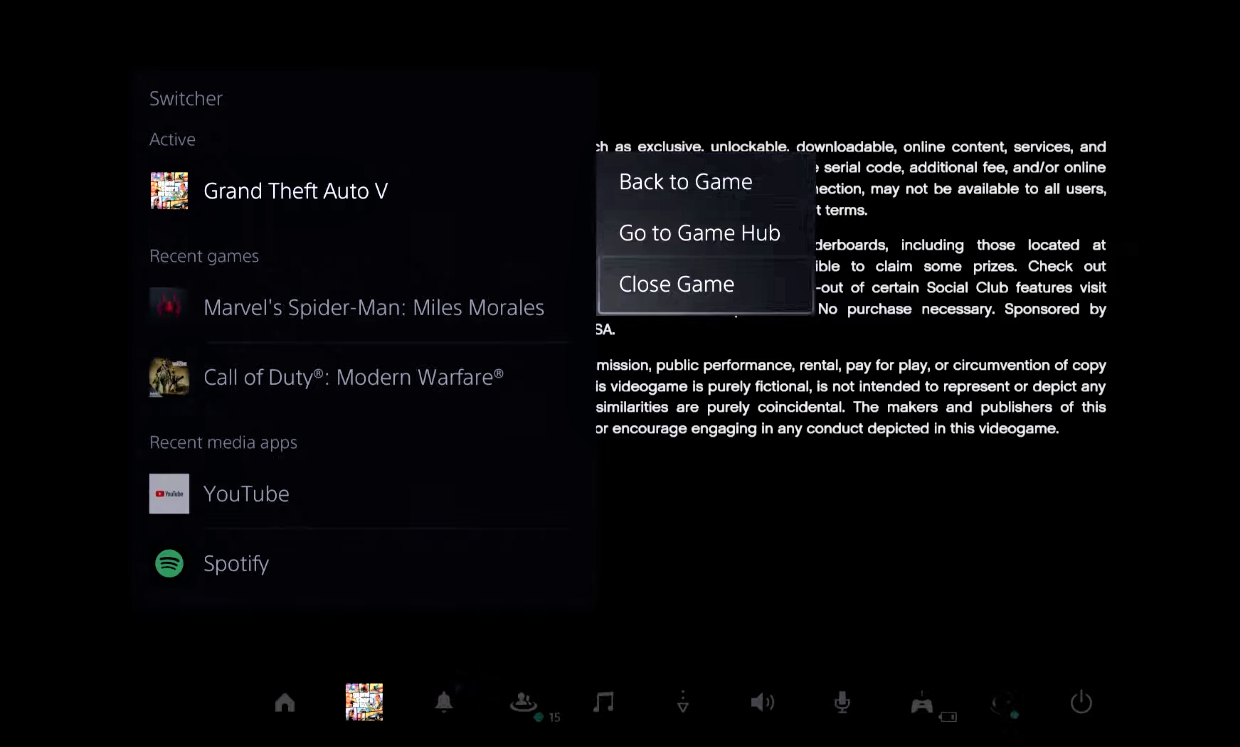
The solution is straightforward: just quit the concerned game and start it up again, and the message should go away. Users who had access to the communication features but were still seeing the popup due to a bug will find this strategy extremely useful. But if this notification reappears after restarting the game or later, you must go to the next step.
2) Log Out Each Additional User
You won’t be able to use the communication functions on your PS5 console or, at the very least, notice the popup on your screen if a guest or additional user connects to your PlayStation. It occurs even if you log into the parent or guardian account, the primary account on the network.
The only PSN ID currently being used, which should also be an adult account with access to all communication functions, must be signed out to resolve this issue. It is how to accomplish it:
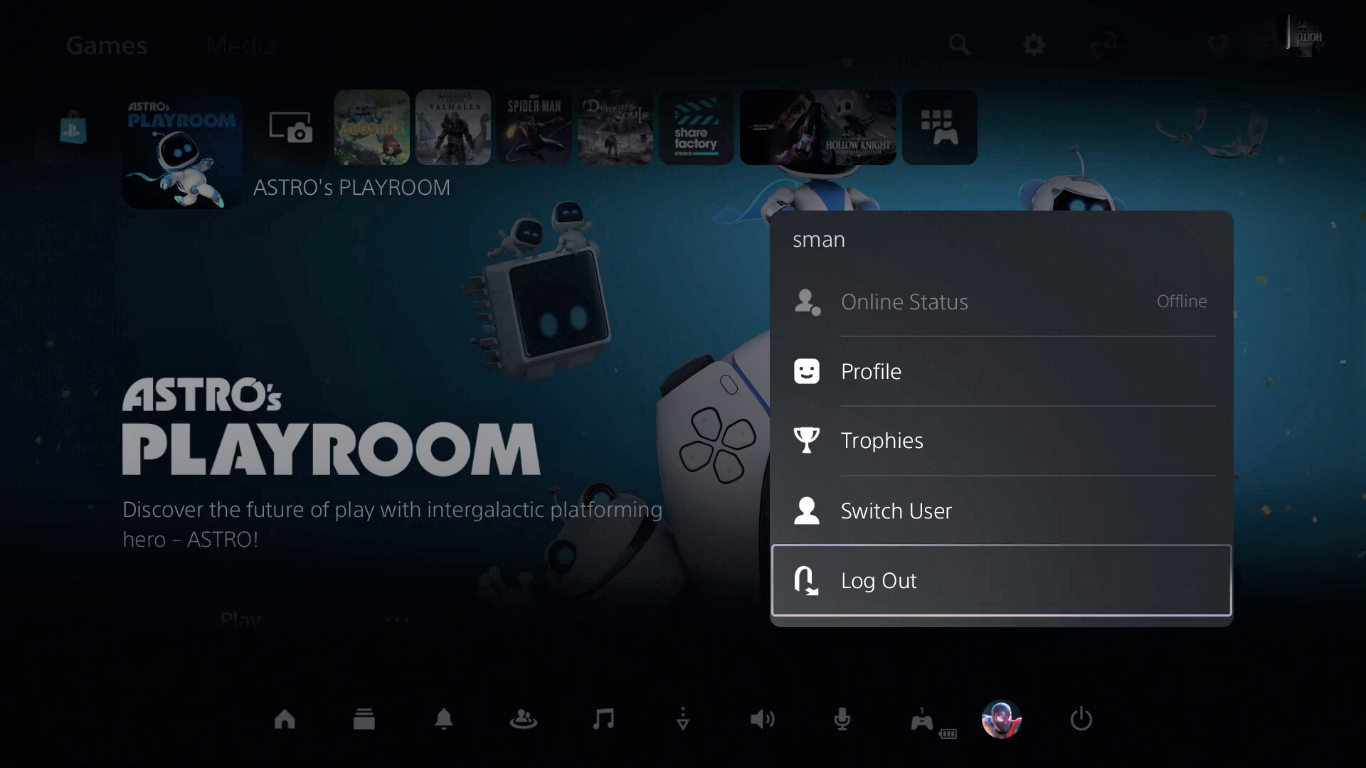
- Your controller’s PlayStation button should press.
- Go to Users & Accounts by selecting Settings.
- Click on Other and choose Sign Out.
- Repeat until the adult account you want to utilize is still signed in for each active account.
- Once finished, the popup will no longer appear on your PS5, and you will have access to the communication features.
3) Disable and Enable Console Sharing
Even if you log in with an adult, parent, or guardian account that has access to the communication capabilities, if you have the console sharing option selected, your PS5 console may display the popup message you are restricting from utilizing communication services. You only need to disable it, log out, and then enable it again to fix this.
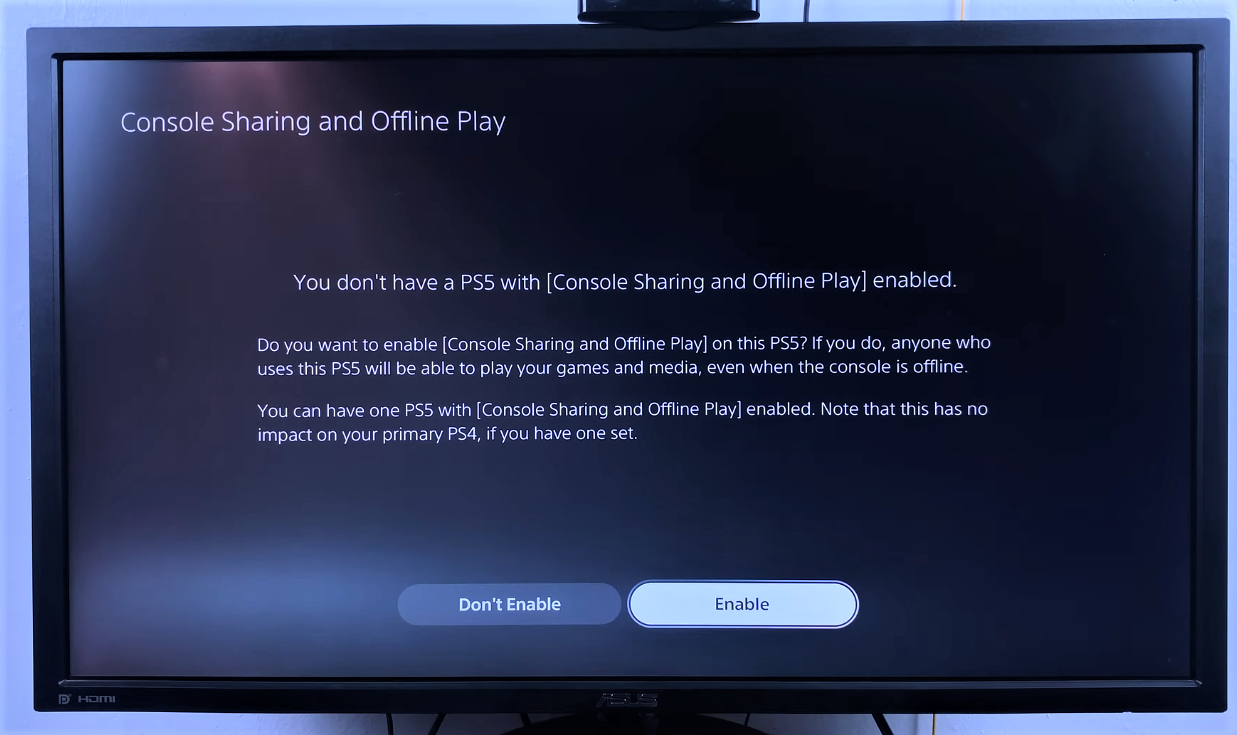
- Go to Console Sharing and Offline Play under Settings > User and Account > Other.
- To stop sharing, select the option.
- Save the settings. Your session will end. Go back and turn on sharing when you connect to the account again.
- Once finished, you won’t receive any more messages.
Now that the restriction on communication features has been remove, you should be able to send and receive messages, join parties, and many other things.
Read Also: Compatible Games with Thrustmaster Wheels on PS 5
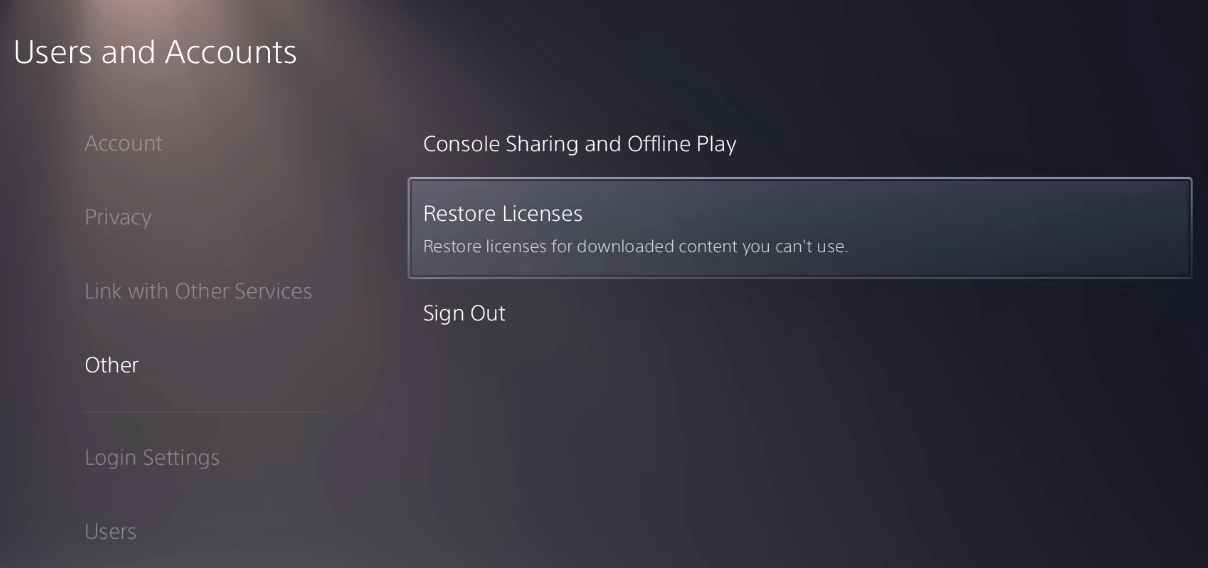
4) Restore Content Licenses
Many users could remove the communication restriction by turning off console sharing and then turning it back on in the user and account settings. However, some users had to renew their content licenses to resolve the problem.
This approach resolves license problems, particularly about items downloaded through the PlayStation store. But it has also succeeded in removing the PS5’s communication restriction.
What you must do is as follows:
- On your controller, press the PlayStation button. Then, select Settings > User and Account > Other > Restore Licenses.
- Select Restore from the menu.
- Hold off till the procedure is over. Once finished, click the OK button when the message Licenses reinstated appears.
Complete Guide: How To Connect PSVR To PS5?
How Do I Change Age Restrictions on PS5?
Customers of PlayStation can now modify their age. They must link their PSN account to their Sony account to accomplish that.
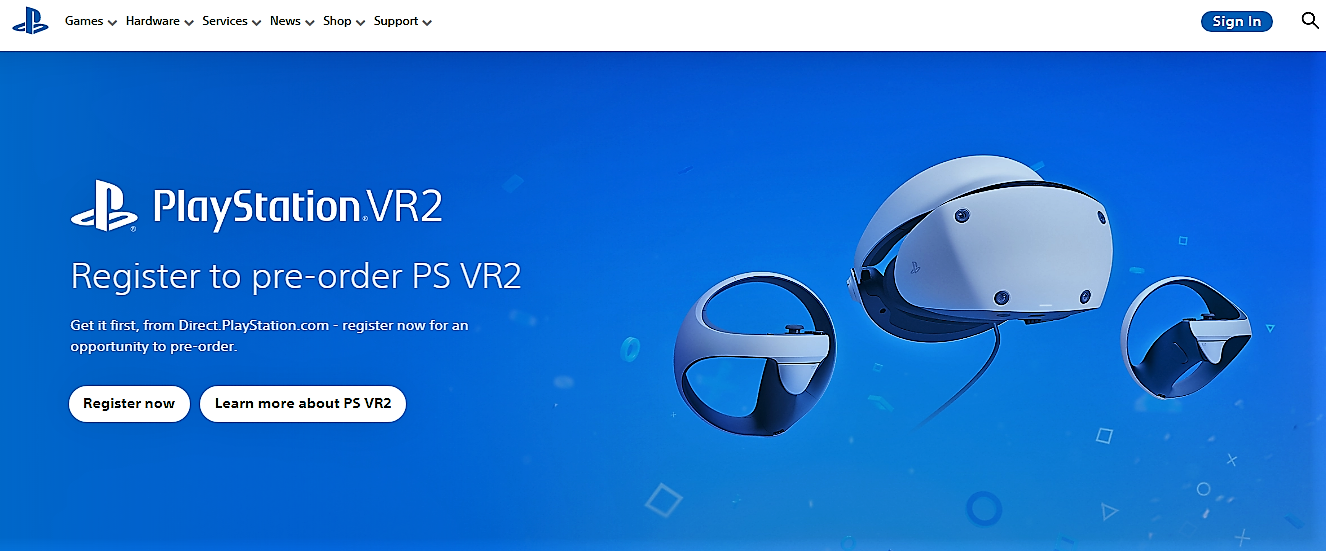
These are the steps:
- Open your web browser on your computer.
- Visit the PlayStation page of Sony. To go directly to the backdoor, you need to use, click this link. You can do it via your tablet or smartphone if you don’t have a PC.
- Your PSN email address. Make sure you use the same login information on your PS4 or PS5.
- To sign into the platform, click Sign in.
- After entering your password, select Sign in again.
- A drop-down menu is visible once you log in to the page. You can change your birthdate here. Your age will be evident in whatever decision you make.
- To confirm the modifications, click on Save button.
Is PS5 Region Restricted?
No matter where you are in the world, you can play games. Games for the PS5 aren’t region locked. Thus, regardless of the PS5, you can play games on it.
Why Are the Games Locked on My PS5?
You cannot play them. After all, they are not in your library. Go to settings and choose System Storage Management to remove the lock sign. Under the game that has this problem, click Unlock.
How Can I Modify PS5 Restrictions?
Select Family Management from the Account Management menu after logging in. After choosing the child whose restrictions you want to impose, select Edit to make changes to each setting.

As our senior Console Gaming Specialist, Mack explores the entire console ecosystem, from hardware nuances to first-party exclusives. With over 20 years of gaming experience, his reviews and guides focus on game design, narrative impact, and the overall player experience. He aims to help readers discover which games will truly resonate with them.